Deploy Specialised AI Employees

Build and Manage Your Virtual Workforce Without Code

Automate tasks, back-office operations, and client interactions effortlessly. RhinoAgents lets you design and manage tailored AI employees that work tirelessly for your business — zero coding required.

Minutes
Onboarding Time
Zero
Code Required
24/7
Always Working
Virtual Workforce Builder

Total Control Over Your Operations

Create, assign roles, and optimize AI employees for your business. Deploy specialized virtual team members for data entry, research, outbound outreach, and more.

Hire AI Employees in Minutes

Create specialized virtual staff for administrative tasks, scheduling, lead management, or research operations. Select roles and configure workflows easily.

→ Easy role & responsibility definition

Multi-Platform Integration capabilities

Integrate your AI employees directly into your existing tools. Your virtual workforce can update CRMs, fetch data, and coordinate actions securely and efficiently.

→ Connect apps seamlessly

Refine Instructions & KPIs

Adjust operating procedures, instructions, underlying models, and behaviors based on task performance and completion rates. Fine-tune your AI's productivity continuously.

→ Easy workflow and prompt refinement
How It Works

Step-by-Step Creation

Onboard your AI Employee without any coding. Just follow these simple steps to start automating workflows.

1

Start Creating Your AI Employee

Navigate to the AI Employee list and click Create AI Employee. Start building your virtual team member by setting up the initial requirements.
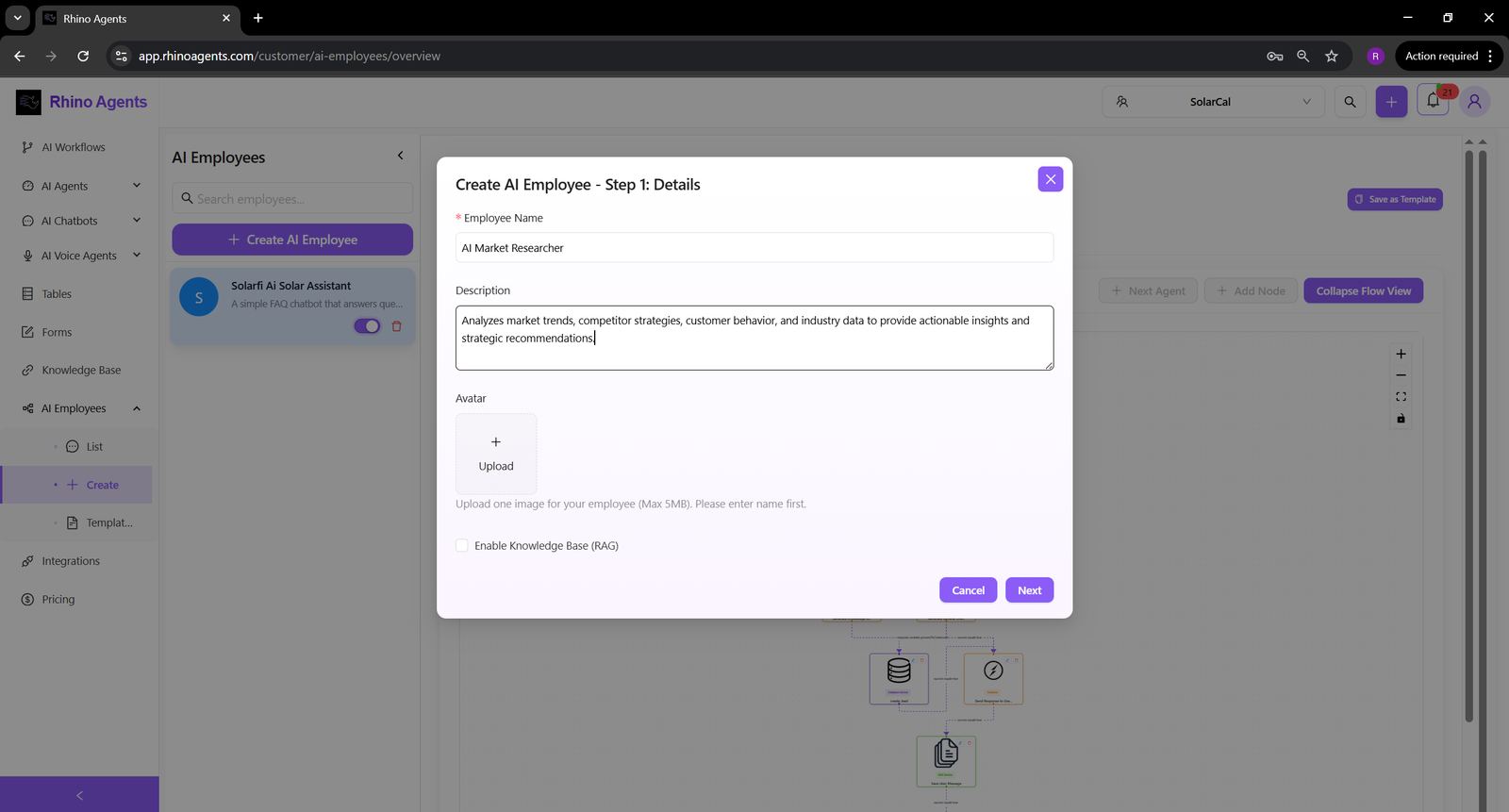
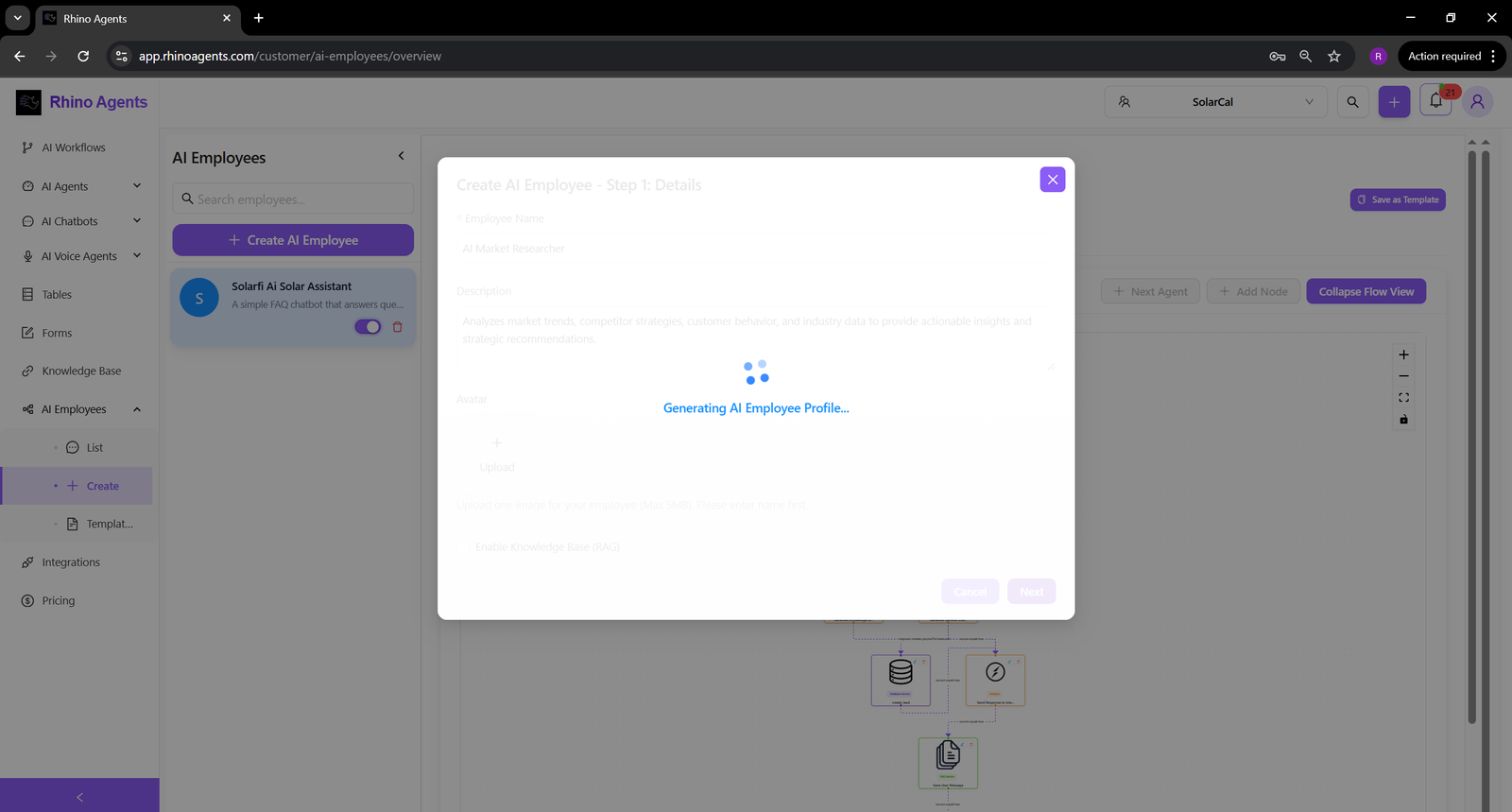
Create AI Employee
AI Employee Profile Creation
2

Define AI Employee Profile & Persona

Give your AI employee a name and choose an avatar profile picture. Set their role and ensure their digital presence aligns perfectly with your company's structure.

3

Configure Role & Expertise

Determine the core capabilities of your virtual employee by selecting their role, writing a detailed system prompt, and defining tools they can utilize.
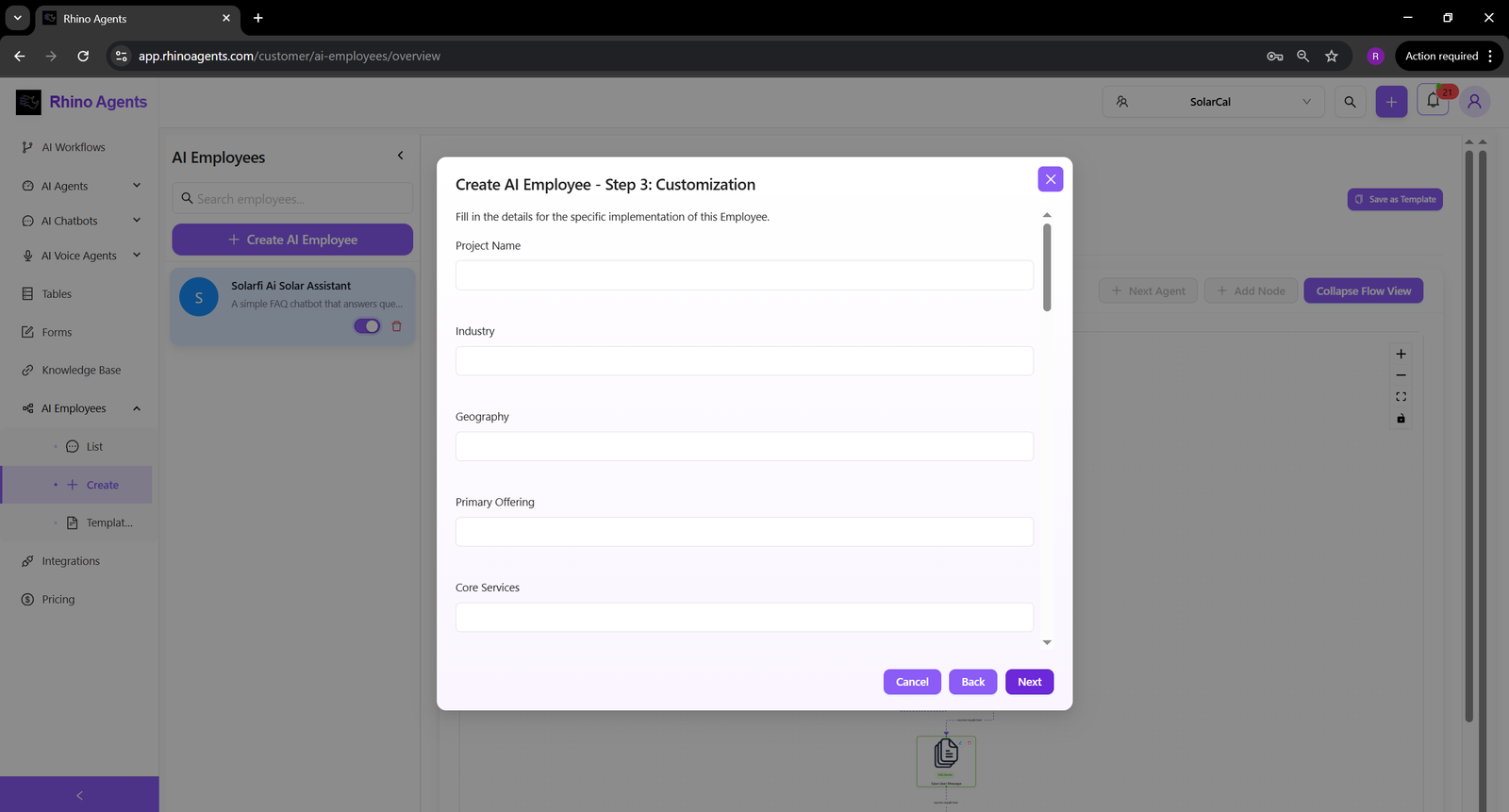
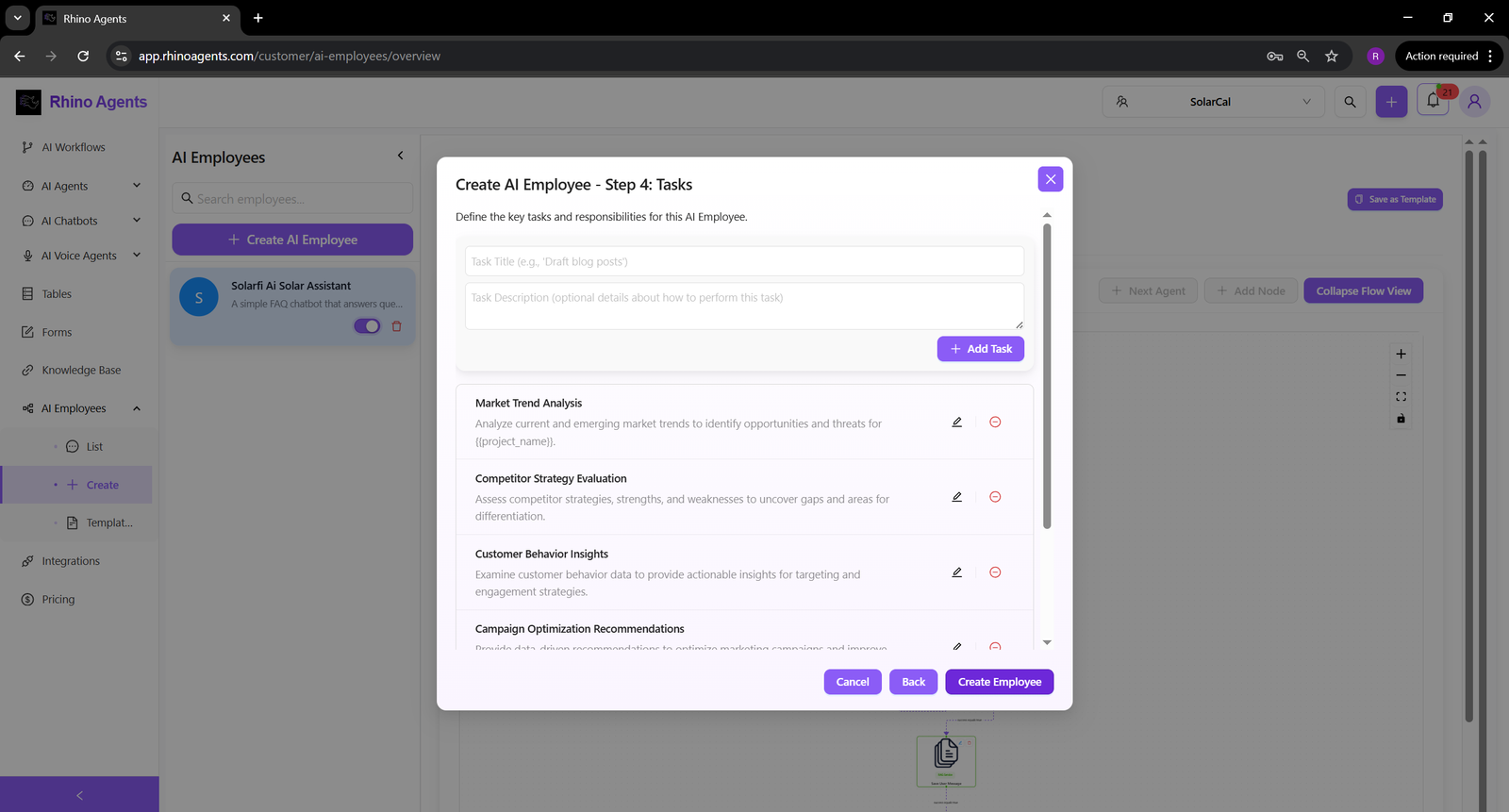
Role and Expertise Configuration
Advanced Model and Setup
4

Set Advanced Parameters

Choose the underlying intelligence model (e.g., GPT-4o, Claude 3.5 Sonnet) and configure any advanced response guidelines to control exactly how your AI employee operates.

5

AI Employee Deployed & Ready

Your AI employee is now successfully created and active. You can monitor their status, analyze conversations, edit their settings, or integrate them further from the dashboard.
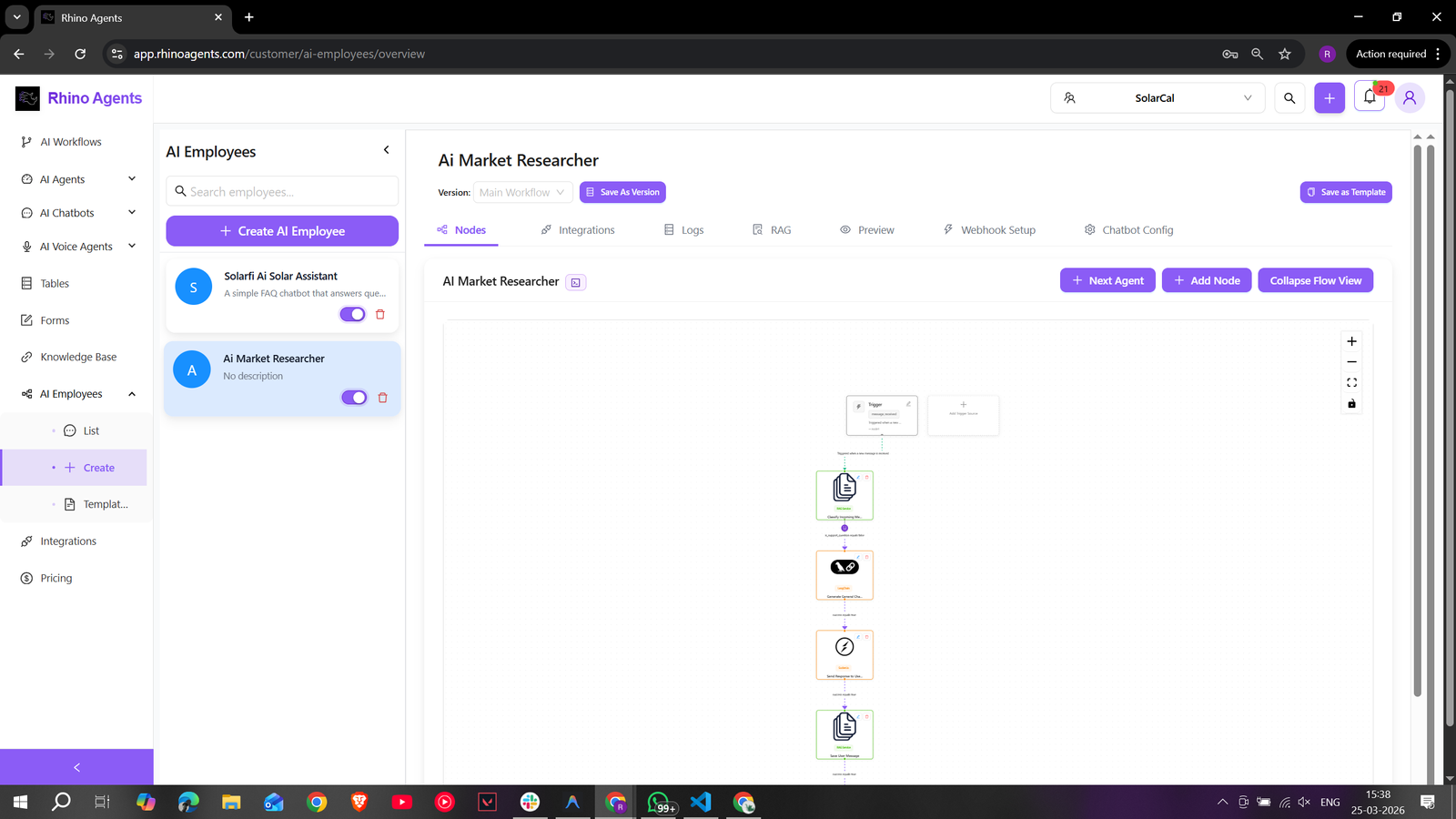
AI Employee Created and Ready
Intelligent Capabilities

Actions Grounded in Business Context

Your workforce needs accurate data instantly. Empower your AI employees with real-time knowledge base access to execute workflows efficiently.

Provide Native Context

Integrate company documentation, internal wikis, or database platforms. Your AI employees will confidently execute tasks by dynamically retrieving verified data.

→ Work directly with your data

Execute Multi-Step Tasks

Whether it's researching leads, updating spreadsheets, or drafting communications based on customer logs, the AI employee actively handles long-form workflows.

→ Actively resolve and automate entirely

Complete Performance Tracking

Review detailed action logs, task outcomes, and productivity metrics live. Improve your instructions continuously based on actionable workforce data.

→ Real-time execution logs and auditing

Ready to Hire Your AI Employee?

Deploy your first Virtual Staff Member today — and scale your operations without overhead constraints.

Traditional Workforce

  • Long hiring and onboarding cycles
  • High operational overhead and benefit costs
  • Operations pause outside of standard business hours

RhinoAgents Virtual Staff

  • Onboarding completed instantly in minutes
  • Fraction of the cost with zero overhead
  • Works continuously 24/7 without breaks