
Every procurement team running SAP knows the feeling. The system of record is solid, the transactions are well understood, and yet the day still disappears into the same loop: chasing approvals, keying purchase orders, emailing suppliers for delivery dates, and untangling invoices that refuse to match. SAP S/4HANA gives you the structure for a clean purchase-to-pay (P2P) process. What it does not give you is more hours in the buyer’s day.
This guide walks through SAP procurement workflows end to end: what each stage does, where manual work piles up, which workflows are worth automating first, and how to automate them safely without touching your core. Whether you run a lean purchasing team at a mid-market manufacturer or manage a multi-plant S/4HANA landscape, you will leave with a practical map of where automation pays back fastest.
What Are SAP Procurement Workflows?
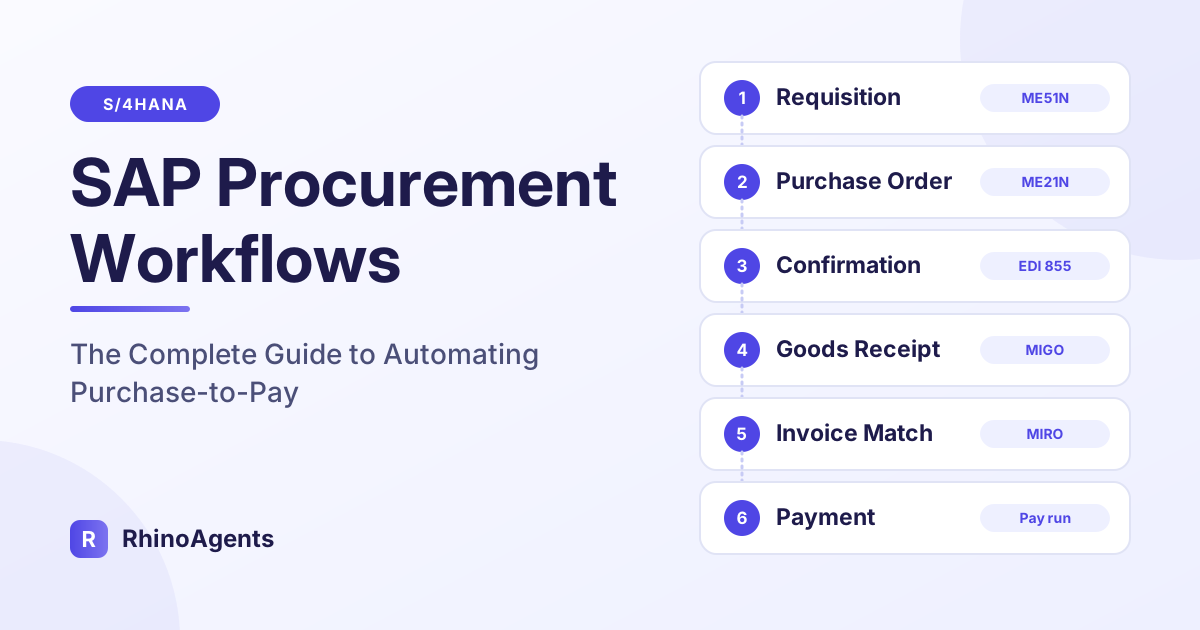
A procurement workflow in SAP is the chain of steps that turns a business need into a received, invoiced and paid purchase. In SAP Materials Management (MM) and the wider S/4HANA purchasing stack, that chain is usually called purchase-to-pay, and it spans seven connected stages:
- Requisition: an employee, a planning run (MRP) or a maintenance order raises a purchase requisition (PR), typically in ME51N.
- Sourcing: buyers find a source of supply using source lists, quota arrangements, outline agreements and, for new spend, requests for quotation (RFQs).
- Purchase order: the approved requisition becomes a purchase order (PO) in ME21N, or in bulk through ME59N.
- Confirmation and expediting: suppliers acknowledge the order, confirm dates and ship, while buyers track what is late.
- Goods receipt: the warehouse posts receipt in MIGO against the PO.
- Invoice verification: the supplier invoice is matched to the PO and goods receipt in MIRO (the classic three-way match).
- Payment and reconciliation: approved invoices are paid, and the GR/IR clearing account is reconciled so open items do not distort the balance sheet.
Each stage has its own transactions, its own owners and its own failure modes. The workflows that sit between the stages, the approvals, the follow-ups, the exception handling, are where most of the delay lives.
Why Manual Procurement Workflows Break Down at Scale
Nothing in this process is exotic. The problem is volume and interruption. A buyer handling hundreds of open lines at any moment is constantly pulled between routine work and exceptions, and the routine work always loses.
Three patterns show up again and again in S/4HANA environments:
Routine work crowds out strategic work. Converting approved requisitions into purchase orders is repetitive, rules-based and time sensitive. Yet buyers often spend a large share of their day on it, which is time not spent negotiating, qualifying suppliers or reviewing category strategy.
Follow-ups depend on memory. Chasing a supplier for an order acknowledgment or a revised delivery date is easy to postpone. When a critical part slips and nobody noticed, the cost shows up on the production line, not in the procurement dashboard.
Exceptions travel by email. A price mismatch, a short delivery or a missing tax code usually lands in a shared inbox. Someone has to read it, work out which PO it belongs to, find the right person and wait for an answer. Invoices sit blocked in the meantime.
These are not process design failures. They are capacity failures, and capacity is exactly what automation is good at.
Stage 1: Purchase Requisition to Purchase Order
The handoff from requisition to PO is the highest-volume, most automatable point in the whole cycle. A requisition that is already approved and already points to a known material and plant should not wait in a purchasing inbox.
What happens manually: the buyer opens the requisition list, checks whether an outline agreement or source list exists, verifies the vendor is not blocked, calculates delivery dates, groups related lines, creates the PO and sends it to the supplier. For routine MRO items and repeat raw materials this can be a 24 to 48 hour wait, mostly time in the queue rather than time spent working.
What good automation looks like: the system screens approved requisitions, determines the source of supply from source lists (ME01) and active contracts (ME31K), assigns the right account assignment (cost center, internal order, asset or WBS element), creates the PO through standard interfaces such as BAPI_PO_CREATE1, and dispatches it to the supplier electronically. Anything that falls outside the rules is routed to a buyer with the context attached.
The key design principle is that automation handles the clean 80 percent and escalates the messy 20 percent, rather than trying to handle everything. That is also what makes it safe to turn on.
Stage 2: Sourcing, Contracts and Quotation Comparison
Before a PO exists, someone has to decide who to buy from. In SAP that decision is encoded in several places, and each one is a place where compliance can quietly erode.
Source lists and quota arrangements define which vendors are approved for a material and how volume should be split between them. When buyers award everything to a favorite vendor, dual-sourcing policies are broken without anyone noticing until an audit.
Outline agreements (contracts and scheduling agreements) lock in negotiated prices and volume tiers. If a PO is raised outside the contract, the company pays list price for something it already negotiated. This is the mechanism behind maverick spend, which in many organizations runs well into double digits as a share of addressable spend.
Quotation comparison (ME49 for RFQ price comparison) is where bids are tabulated. Done in a spreadsheet, it tends to hide freight, duties and payment terms, so the cheapest unit price is not always the cheapest landed cost.
The automation opportunity here is enforcement and calculation: automatically pointing POs at the right contract, blocking release when quota rules are breached, and ranking bids by total landed cost instead of headline price.
Stage 3: Approvals and Release Strategies
Approvals are where well-designed workflows most often stall. SAP release strategies route POs and requisitions to the right approver based on value, material group, plant or document type. The configuration is sound. The delay comes from people: approvers who are traveling, who miss a notification, or who do not have context on what they are approving.
Three practical improvements make a measurable difference:
- Bring the approval to where the approver already is. Slack or Microsoft Teams approval requests with the key facts summarized (supplier, value, contract status, budget impact) get answered faster than an inbox notification buried in SAP.
- Set value thresholds for touchless processing. Low-value, in-contract purchases can be released automatically within defined limits, while anything above the threshold goes to a human. This is a policy choice, and it should be explicit.
- Escalate on time, not on memory. If an approval sits for a defined period, the request should move to a delegate automatically.
Human approval is not a bug to be removed. For high-value or unusual purchases it is exactly the control you want. The goal is to make sure humans spend their attention on decisions that need judgment, and nothing else.
Stage 4: Supplier Confirmation and Expediting
A PO that has been sent is not a PO that has been fulfilled. Between dispatch and delivery sits one of the most neglected parts of the process: knowing whether the supplier actually acknowledged the order, whether the dates still hold, and what is likely to arrive late.
In a manual setup, expediting is reactive. Buyers run an open PO report (ME2N), scan for overdue lines, and then call or email suppliers one at a time. By the time a delay is discovered, there is often no room left to react.
An automated approach is proactive:
- Monitor order acknowledgments (for example EDI 855 responses) and flag POs that have not been confirmed within a set window.
- Send confirmation requests to suppliers a set number of days before the promised delivery date.
- Write revised delivery dates and shipping notices back into SAP so planners see the truth, not last month’s promise.
- Alert the category buyer only when something genuinely needs a decision, such as a delay on a critical component.
For manufacturers, this single workflow can be the difference between a line running and a line waiting. It is also a good first candidate for automation because the output, an updated date or an alert, is easy to verify.
Stage 5: Goods Receipt and Delivery Tolerances
Goods receipt in MIGO is the moment a promise becomes a fact. It is also where small discrepancies begin: a delivery that is a few units short, an over-delivery within tolerance, a partial shipment that will be completed next week.
SAP handles this through tolerance settings on the PO, such as under-delivery and over-delivery tolerances, and the delivery completed indicator (ELIKZ) that closes an order line. When tolerance rules are applied consistently, small variances close cleanly. When they are applied by hand, lines stay open indefinitely, commitments linger, and invoices that arrive later cannot be matched.
Automation can evaluate each receipt against its tolerance, close lines that fall within the rules, and route the real exceptions, such as a significant short delivery, to the right person immediately rather than at month end.
Stage 6: Invoice Verification and the Three-Way Match
The three-way match compares three documents: the purchase order (what you agreed to buy), the goods receipt (what you actually received) and the supplier invoice (what you are being asked to pay). When all three agree within tolerance, the invoice can be posted and paid. When they do not, SAP blocks the invoice.
Blocked invoices are the visible tip of upstream problems. The usual causes are:
- Price variance: the invoice price differs from the PO price, often because a contract price was not applied at order time.
- Quantity variance: the invoiced quantity does not match what was received.
- Missing goods receipt: the supplier invoiced for something the warehouse has not yet posted.
- Tax or terms errors: codes or payment terms that do not match the vendor master or the PO.
The lesson most finance teams learn is that fixing invoice exceptions is more expensive than preventing them. Correct source-of-supply assignment at PO creation prevents price variances. Timely receipt posting prevents quantity and missing-receipt blocks. This is why connecting procurement and accounts payable workflows matters more than optimizing either in isolation. If you want to go deeper on the invoice side, see how an AI SAP Invoice Processing Specialist handles matching and exceptions, or how an AI SAP Accounts Payable Specialist manages the payment side.
Stage 7: GR/IR Reconciliation and Period-End Cleanup
The goods receipt/invoice receipt (GR/IR) clearing account is a temporary holding account. A goods receipt credits it, and a matching invoice debits it. In a perfect process the balance clears itself. In practice it accumulates stale items: receipts that were never invoiced, invoices that never matched a receipt, and old POs that nobody closed.
Left alone, those items distort working capital and make the balance sheet harder to trust. Finance teams typically clean them up in a burst at month end, which is slow and error prone. Analyzing the clearing account through MB5S, identifying unbilled receipts and over-invoiced orders, and coordinating the adjustments continuously is far less painful than doing it once a month under deadline pressure.
This is also an area where reconciliation automation pays off quickly, because the logic is deterministic: compare, classify, propose, and escalate what is ambiguous.
Before and After: A Day in the Life of a Procurement Team
It helps to see the difference in a concrete scenario. Consider a mid-market manufacturer with a purchasing team of six, running S/4HANA across two plants.
Before automation. Monday morning begins with 14 approved requisitions waiting from the weekend. A buyer works through them one by one, checking contracts and vendors, and the last PO goes out Tuesday afternoon. A supplier misses a confirmation on a critical bearing order, and nobody notices until the planner asks where it is on Thursday. Two invoices arrive blocked for price variances because the contract price was not picked up. By Friday the team is writing emails instead of negotiating.
After automation. The same 14 requisitions are screened and converted into purchase orders within minutes, each pointed at the right contract and dispatched to the supplier. The missing confirmation is flagged the morning after the order, and a follow-up goes out before anyone has to remember. The price variances never happen because the contract price was applied at order time. The buyers spend Friday on a supplier review and a cost-reduction proposal.
The comparison below summarizes typical differences:
| Workflow | Manual process | Automated process |
|---|---|---|
| PR to PO cycle time | 24 to 48 hours waiting in a purchasing inbox | Minutes, touchless for in-rule requisitions |
| Supplier acknowledgment tracking | Buyers follow up by phone and email | Acknowledgments parsed and gaps flagged automatically |
| Off-contract spend | Unmanaged leakage from POs raised outside agreements | Contract assignment enforced at PO creation |
| GR/IR discrepancies | Weeks of emails between purchasing and AP | Tolerances evaluated and lines closed automatically |
| Vendor performance data | Assembled by hand before reviews | Scored continuously from delivery and quality records |
Eight SAP Procurement Workflows Worth Automating First
Not every workflow deserves automation on day one. The best candidates are high volume, rules-based and easy to verify. Here are the eight that tend to deliver the clearest return, and they map closely to the capabilities of a ready-to-use AI SAP Procurement Specialist.
1. Purchase requisition to PO auto-conversion
Aggregate approved requisitions and create purchase orders using existing contracts and source lists. This frees buyers from the single most repetitive task in the cycle.
2. Outline agreement and target value monitoring
Track consumption against contract quantity and value ceilings, and alert buyers before a cap is breached or a rebate tier is missed. Teams that do not monitor this either overspend on a contract or fall just short of the volume tier that would have earned a discount.
3. Vendor quotation price comparison
Parse supplier bids, calculate effective landed cost including freight, duties and payment terms, and rank vendors on total cost rather than unit price.
4. Supplier expediting and delivery reminders
Send confirmation requests ahead of delivery dates, record revised dates in SAP and alert buyers to genuine risks.
5. GR/IR discrepancy evaluation
Analyze the clearing account, find unbilled receipts and stale commitments, and coordinate adjustments before month end.
6. Quota arrangement and source list verification
Enforce dual-sourcing rules and block PO release when allocation rules are broken.
7. Supplier OTIF and quality scorecards
Calculate on-time in-full delivery, price variance and quality rejection rates so supplier reviews run on data rather than anecdotes.
8. Hazardous material and trade compliance checks
Validate customs tariff numbers, export control codes and safety data sheets before international POs are released, so shipments are not held at the border.
Notice what these have in common. None of them requires inventing a new process. Each one takes an existing SAP step and removes the waiting and the manual keying around it.
How to Automate SAP Procurement Without Touching Your Core
The most common objection from SAP teams is a reasonable one: we have spent years keeping the system clean, and we do not want a bolt-on that puts that at risk. The answer is to follow SAP’s own Clean Core guidance.
A Clean Core approach means no custom ABAP modifications and no screen scraping. Automation talks to SAP only through supported interfaces: standard RFC function modules, NetWeaver Gateway OData services and SAP BTP endpoints. Every action that writes to SAP uses a standard BAPI with transactional rollback, so a failed or rejected step can be undone cleanly.
Because the integration is built on standard interfaces, it also survives upgrades. Screen-based RPA scripts tend to break whenever a layout changes, a field is added or a Fiori app is updated. Interface-based automation does not care how the screen looks.
If your landscape includes a middleware or integration layer, an AI SAP BTP Integration Specialist can help connect the pieces, and for broader coverage across modules the AI SAP & ERP Specialist is worth a look.
Governance: Guardrails, Approvals and Audit Trails
Automation in procurement touches money, so governance is not optional. Treat it as a design requirement from the first day.
Role-based authorization. The automation should operate strictly within the standard SAP authorizations assigned to it, in the same way a human buyer would. If a role cannot create a PO above a certain value, neither can the automation.
Value thresholds. Define the maximum value that can be processed without human approval, and set tolerance keys explicitly. Everything above the threshold goes to a person.
Human-in-the-loop. For sensitive actions, require sign-off through the tools your team already uses. RhinoAgents supports human-in-the-loop approvals so a person confirms the decisions that matter.
Audit trails. Every action should be logged with enough detail that an auditor can reconstruct what happened and why. See how audit logs and guardrails work in practice.
Segregation of duties. The same AI employee that creates a PO should not also approve it. If SOX or similar controls apply, a compliance-focused AI employee can help monitor access and conflicts.
Simulation first. Before any live posting, run in a simulation mode where proposed actions are reviewed but not executed. This builds trust with the team and surfaces edge cases early.
For security details such as encryption, certifications and data residency, the enterprise security page covers what to ask any vendor.
Native S/4HANA, Ariba and Where Automation Fits
A common question is how automation relates to the SAP tools you may already use. S/4HANA’s native purchasing handles requisitions, POs, contracts and invoice verification inside the core. SAP Ariba extends that with supplier collaboration, sourcing events and network connectivity. Many organizations use both.
Automation does not replace either. It sits alongside them and handles the work between the steps: converting, chasing, matching, reconciling and escalating. If your team runs Ariba for sourcing and supplier collaboration, an AI SAP Ariba Specialist can cover that side, while a procurement specialist handles the S/4HANA purchasing flow.
Clean master data matters here too. Duplicate or outdated vendor records cause blocked payments and failed matches no matter how good the workflow is. Pairing procurement automation with an AI SAP Vendor Specialist or a Master Data Governance specialist keeps the foundation healthy.
The KPIs That Prove Automation Is Working
If you cannot measure it, you cannot defend it at the next budget review. Track a small set of metrics before and after you automate:
- PR-to-PO cycle time: the elapsed time from approved requisition to issued PO.
- Touchless PO rate: the share of POs created without human intervention.
- Maverick spend: the share of spend that bypasses available contracts.
- Supplier confirmation rate: the share of POs acknowledged within your target window.
- OTIF: on-time in-full delivery performance across key suppliers.
- Blocked invoice rate: invoices held for price, quantity or receipt variances.
- GR/IR aging: the value and age of items sitting in the clearing account.
- Buyer time on routine tasks: the hours moved from keying to supplier management.
Baseline each one for a few weeks before you launch. The point is not to hit a magic number but to show direction and let the data make the case for the next workflow.
A Practical Rollout Plan
You do not need a six-month integration project. A phased rollout keeps risk low and momentum high.
- Connect SAP securely. Use standard RFC credentials or OData services for your S/4HANA or ECC system.
- Define scope. Choose the company codes, plants, purchasing organizations and document types in scope. Start narrow.
- Set guardrails. Configure value thresholds, tolerance keys and the approval path for exceptions.
- Run in simulation. Review the proposals the automation would make, compare them with what buyers actually did, and adjust.
- Go live on one workflow. Typically PR-to-PO conversion for a single plant, then expand.
- Add the next workflow. Move to expediting, then GR/IR, then scorecards, as confidence grows.
The first connection steps can be completed in a matter of minutes to hours, not months, and a ready-to-use AI employee arrives with the procurement skills already configured, so your team is tuning rules rather than designing from a blank page. You can deploy David, the AI SAP Procurement Specialist, and start in simulation mode with a free trial.
Common Mistakes to Avoid
Automating a broken process. If the underlying rules are unclear, automation will simply execute the confusion faster. Clean up source lists and contracts first.
Trying to boil the ocean. Start with one high-volume workflow and prove it. Teams that launch five workflows at once struggle to tell what is working.
Skipping the exception path. The 20 percent of cases that do not fit the rules are the ones that cause damage if nobody owns them. Decide who receives each type of exception.
Ignoring change management. Buyers worry about being replaced. Position the automation as taking over the tedious work so they can focus on supplier relationships and savings, which is the work that actually moves the margin.
Forgetting the data foundation. Stale vendor records, missing tax codes and incomplete material master data will undermine any workflow. Fix the data in parallel.
Frequently Asked Questions
What is purchase-to-pay in SAP?
Purchase-to-pay (P2P) is the end-to-end process that runs from a purchase requisition through sourcing, purchase order creation, goods receipt, invoice verification and payment. In SAP it spans Materials Management (MM), Financial Accounting (FI) and, for supplier collaboration, SAP Ariba.
Which SAP procurement workflow should I automate first?
Most teams start with converting approved purchase requisitions into purchase orders, because it is high volume, rules-based and easy to verify. Supplier expediting is a close second, especially for manufacturers where late deliveries stop production.
Does procurement automation require custom ABAP code?
No. A Clean Core approach uses standard RFC function modules, OData services and SAP BTP interfaces, so your system stays unmodified and upgrade safe.
How does automation avoid maverick spend?
By checking every requisition against active outline agreements and source lists at the moment the PO is created, and pointing the order at the negotiated contract automatically. Orders that break sourcing or quota rules can be blocked before release.
Can automation handle complex POs with account assignment?
Yes. Account assignments such as cost center, internal order, asset and project (WBS) can be validated against the relevant accounts and cost objects before posting, with exceptions sent to a person.
What happens when something goes wrong during a posting?
Writes to SAP use standard BAPIs with transactional rollback, so a failed step can be reversed cleanly. Every action is logged, and exceptions are routed to a human reviewer.
Is this suitable for mid-market companies, or only large enterprises?
Both. Mid-market teams often benefit most, because they have the same SAP complexity as larger companies with far smaller purchasing teams to absorb it.
How is this different from RPA?
RPA scripts copy values into screens and tend to break when layouts change. An AI employee works through standard interfaces, applies business rules and tolerances, remembers past exceptions and escalates intelligently instead of failing silently.
Conclusion: Let Your Buyers Buy
SAP procurement workflows are not broken. They are overloaded. The transactions are sound, the controls are mature, and the data model is rich. What is missing is capacity at the points where work waits: the requisition queue, the supplier follow-up, the blocked invoice and the clearing account.
Automating purchase-to-pay does not mean removing people from procurement. It means removing the waiting, the re-keying and the chasing so that buyers can do the parts of the job that need human judgment: negotiating, qualifying suppliers and managing risk. Start with one workflow, run it in simulation, set clear guardrails, measure the result and expand.
Ready to see what that looks like in your S/4HANA landscape? Meet David, your AI SAP Procurement Specialist, and deploy him on a free trial with 1,000 free execution credits. If you want to explore the wider team, browse the full set of AI employees or the SAP operations overview.
