


Your pricing page gets traffic. Your sales team gets a trickle of demo requests. Somewhere between those two numbers, most of your revenue is quietly walking away.
A visitor lands on your pricing page at 9:40 p.m., has a question about SSO, finds no answer, sees a six-field “Request a Demo” form, and closes the tab. Another fills the form, then waits most of a day for an SDR to reply, by which time they’ve booked time with a competitor. A third books a demo, forgets about it, and never shows up.
None of these are lead generation problems. They are conversion problems, and they are exactly what an AI sales chatbot is built to fix.
In this guide we’ll cover what an AI sales chatbot actually is, the eight specific ways it increases sales, what the before-and-after looks like in practice, where it falls short, and a five-step plan to deploy one that your revenue team will trust. We’ll use RhinoAgents’ B2B Sales AI Chatbot as the worked example throughout.
What Is an AI Sales Chatbot?
An AI sales chatbot is a conversational assistant that sits on your website and messaging channels and takes part in the sales process: greeting high-intent visitors, asking the right discovery questions, answering product, pricing and security questions, qualifying the lead against your criteria, and booking the meeting, then writing everything back to your CRM.
It helps to separate three generations of tooling:
- Rule-based chatbots follow rigid button trees. They work until a buyer types something unexpected, and then they break.
- FAQ bots answer common questions but don’t qualify, route, or book anything. They deflect; they don’t sell.
- AI sales chatbots understand free-text intent, ask follow-up questions, remember context across the conversation, take actions in your tools, and hand off to a human when it matters.
The third category is the one that moves revenue. A sales chatbot is not a nicer contact form. It is a first-line revenue team member that is awake every hour of every day.
RhinoAgents takes this a step further. Instead of a single bot trying to do everything, the B2B Sales AI Chatbot deploys a Master Orchestrator that delegates to nine specialized sub-agents, each owning one part of the sales workflow. We’ll walk through them below.
Why Traditional Sales Funnels Leak Revenue
Before looking at the solution, it’s worth being precise about the problem. Most B2B inbound funnels lose buyers at five predictable points.
1. The form wall. Static forms ask for information before giving any value. Every extra field costs you conversions, and a form can’t answer the buyer’s actual question.
2. Response lag. A visitor’s intent is at its peak the moment they land. If the first reply arrives hours later, you’re responding to a cold lead who has already moved on.
3. Unqualified calendar clutter. When anyone can book time with an Account Executive, AEs lose hours to students, job seekers and companies far below your minimum size, and real buyers wait for open slots.
4. Unanswered objections. Pricing, integrations, SOC 2, data residency and competitor comparisons are the questions that stall enterprise deals. If a human has to answer each one, the deal slows down or dies.
5. No-shows and dead slots. A booked demo isn’t a held demo. Every no-show or late reschedule leaves an expensive AE hour unused.
An AI sales chatbot attacks all five.
8 Ways an AI Sales Chatbot Increases Sales
1. It Wins the Speed-to-Lead Race
Buyer intent decays quickly. The company that responds first, with something useful, is disproportionately likely to win the conversation.
A human team can’t staff every hour or respond in seconds, but a chatbot can. RhinoAgents’ sales chatbot is designed to respond in under 1.2 seconds, around the clock, across web chat, SMS, WhatsApp and Instagram DMs from one shared credit pool. For a visitor on your pricing page at night or on a weekend, that is the difference between a conversation and a bounce.
Speed alone doesn’t close deals, but it keeps the buyer in the conversation long enough for everything else on this list to work.
2. It Qualifies Against Your ICP, BANT or MEDDIC Criteria
The most expensive resource in a B2B sales team is Account Executive time. A chatbot protects it by qualifying every inbound conversation before it reaches a calendar.
You define your Ideal Customer Profile: employee headcount, revenue band, tech stack, timeline, use case. The chatbot works those criteria into natural conversation and scores the lead. Under BANT it uncovers Budget, Authority, Need and Timeline; under MEDDIC it gathers the metrics, economic buyer, decision criteria and pain that your reps care about.
The result: qualified buyers go straight to an AE, and everyone else is routed somewhere useful instead of being dropped. Smaller prospects below your threshold are guided to self-serve tiers, a free trial, a product tour or a webinar, while still being logged in your CRM for nurture. Nobody is turned away; they’re just sent to the right place.
If lead qualification is your biggest bottleneck, see our dedicated AI chatbot for lead qualification and the lead scoring agents that power it.
3. It Asks Fewer Questions by Enriching Automatically
Nobody enjoys being interrogated by a chatbot. The best sales conversations feel like talking to a well-prepared rep who already did their homework.
RhinoAgents’ enrichment sub-agent does that homework. As soon as a visitor shares a work email, it looks up the company through Apollo and Clearbit, resolving headcount, revenue and installed technology, so the chatbot can skip questions it already knows the answer to. The buyer gets a shorter, smarter conversation, and your CRM gets a richer record.
For example, if the email domain resolves to a 1,450-person healthcare company running Salesforce and Okta, the chatbot doesn’t ask about size or industry. It moves straight to the buyer’s actual need and routes them to an enterprise healthcare AE.
4. It Handles Pricing, Security and Competitive Objections
This is where most chatbots fail and where the real revenue lift lives. Enterprise buyers ask hard questions before they ever book a call:
- “Do you have a SOC 2 Type II report?”
- “Can you sign a HIPAA BAA?”
- “Where is our data stored, and is there EU residency?”
- “How does your usage model compare to per-seat pricing for 80 users?”
If those questions wait for a human, they wait for days. RhinoAgents grounds its answers in your own approved material (pricing tiers, security documentation, trust center and competitive battlecards) using retrieval-augmented generation. The chatbot answers from your sources, can deliver a security overview directly in chat, and is configured never to promise unauthorized discounts or make compliance claims you haven’t approved.
That grounding matters. A sales chatbot that improvises on pricing or certifications is a liability. One that quotes only what you’ve published, and cites it, is an asset. You can read more about how grounding works in our knowledge base feature and guardrails.
5. It Books the Right Demo on the Right Calendar
Once a buyer is qualified, the chatbot books the meeting in the same conversation. No “someone will be in touch,” no email ping-pong.
The scheduling logic respects your rules. It connects to HubSpot Meetings, Chili Piper or Google Calendar, then distributes qualified demos across Account Executives by territory, deal size or segment. It checks CRM ownership first, so a buyer from a named account is routed to the assigned AE rather than being round-robined to a stranger.
If you want an even broader scheduling layer across your business, our appointment booking chatbot covers that use case.
6. It Protects Your Show Rate and Refills Cancelled Slots
A calendar full of demos is only valuable if people attend. The show-rate sub-agent sends SMS and calendar reminders ahead of each call, 24 hours and 2 hours out, with the meeting link and a tailored agenda. If a buyer needs to move the meeting, they can reschedule by replying in chat or SMS.
Then comes the clever part. When a slot frees up, the chatbot offers it to qualified buyers on your waitlist. A Wednesday 11:00 a.m. opening created by a reschedule can be claimed within minutes instead of going unused. One RevOps leader featured on the RhinoAgents sales page reports a 92% demo show-up rate after switching to this approach.
7. It Alerts Your Reps When a Target Account Shows Up
Not every conversation should be handled by AI alone. When a Tier-1 account or an open opportunity lands on your pricing or security page, the ABM sub-agent recognizes the account, checks who owns it in your CRM, and pings the assigned AE in Slack with a one-click link to take over the live chat.
The AE can step in or let the chatbot book the meeting. Either way, your highest-value buyer never gets a generic experience, and the right person knows within seconds. If your team lives in Slack, see how our Slack integration fits in.
8. It Sells in 95+ Languages and Keeps Your CRM Clean
Two more advantages round out the list.
Global reach. The chatbot detects the buyer’s language and converses natively, then shows availability in their time zone and logs an English summary in your CRM. A VP of IT in Munich asking about GDPR and EU data residency gets a real answer in German, and a booking with the right regional AE, without you staffing a 24/7 multilingual SDR pod. Learn more about multi-language agents.
CRM hygiene and attribution. Every conversation writes back to HubSpot or Salesforce: contact, account, opportunity, transcript, qualification notes. A governance sub-agent checks for existing records to prevent duplicates and preserves UTM and click-ID data, so marketing can see which campaigns actually produced pipeline. Set up the connection with our HubSpot or Salesforce integration.
Before and After: What Changes in Practice
Here are two scenarios that show how these capabilities combine.
Scenario A: The Midnight Pricing-Page Visitor
Before: A Director of IT at a 450-person fintech reaches your pricing page after hours. She’s evaluating your Enterprise plan and needs SSO and API access. There’s no live chat, so she fills in a long form and closes the tab. Your SDR sees the lead the next afternoon, sends a generic email, and gets no reply. She’s already booked a demo with someone else.
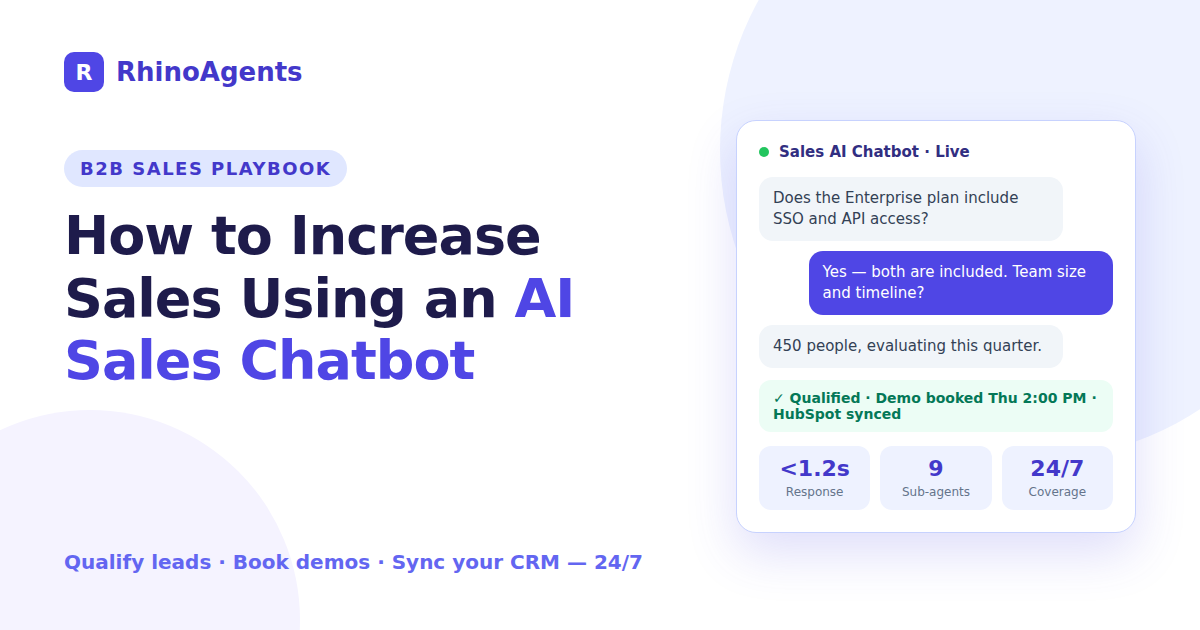
After: The chatbot greets her within a second and asks what she’s evaluating. She mentions SSO and a custom API. The chatbot confirms the Enterprise tier covers both, learns she has about 450 employees, a Zendesk-based stack and a quarter-end timeline, and scores her as a strong ICP match. It offers Thursday at 2:00 p.m. with a senior AE, books it, writes the opportunity into HubSpot with the full conversation attached, and sends a calendar invite. The AE walks into the call with context.
Scenario B: The Security Review That Used to Take Weeks
Before: A procurement lead asks your SDR about SOC 2 Type II and a HIPAA BAA. The SDR forwards the question to a sales engineer, who is out until Monday. The buyer’s security team waits, the deal stalls, and the quarter ends.
After: The chatbot answers from your approved security documentation immediately, confirms what’s available at which tier, delivers your security overview in chat, and flags the deal to the AE. Weeks of back-and-forth shrink to a single conversation, and the AE joins the deal already past its first hurdle.
The pattern in both cases is the same: the chatbot doesn’t replace your sales team. It removes the waiting.
What the Numbers Look Like
Results vary by traffic, offer and sales motion, but the teams featured on the RhinoAgents sales page report outcomes like these:
- A VP of Sales at an enterprise data company reports pricing-page conversion rising from 2.1% to 8.0% after replacing a static demo form with the chatbot.
- A Director of Revenue Operations at a cloud company reports a 92% demo show-up rate, with SMS reminders and waitlist backfill replacing hours of daily SDR chasing.
- A CRO at a finance-metrics company reports around $96k saved compared with per-seat tools, since RhinoAgents bills on usage credits with no seat fees for SDRs and AEs.
Treat these as directional rather than guaranteed. The right way to evaluate any AI sales chatbot is to run it against your own traffic and measure the change, which we cover below.
Where AI Sales Chatbots Fall Short (and How to Plan for It)
An honest guide has to include the limits. AI sales chatbots are powerful, but they aren’t magic.
They can be wrong if they’re not grounded. A chatbot answering from general model knowledge may state outdated pricing or invent a feature. The fix is retrieval grounding in your own documents, plus strict rules about what the chatbot may and may not say.
They shouldn’t handle everything. Complex negotiations, emotionally charged conversations and high-stakes edge cases need a human. Design for warm handoffs: the chatbot should pass a structured summary of the conversation to your team in HubSpot or Slack so nobody has to ask the buyer to repeat themselves.
They need maintenance. Pricing changes, new integrations and updated security documents should flow into the chatbot’s knowledge base. Treat it like a team member who needs the latest playbook.
They can annoy buyers if overused. A chatbot that blocks access to humans or asks needless questions will hurt conversion. Keep conversations short, enrich instead of interrogate, and always offer a path to a person.
The guardrails in RhinoAgents are designed around exactly these risks: answers grounded in your approved sources, policy filters that block out-of-bounds commitments, and human-in-the-loop escalation with full context. For an overview of the security model, see enterprise security.
How to Deploy an AI Sales Chatbot in 5 Steps
You don’t need a six-month project. With RhinoAgents, most teams can go from idea to a live, tested chatbot in under ten minutes of hands-on setup, then refine from there. If you’d rather not do it yourself, the RevOps solutions engineers can handle the connections and qualification rules for you during onboarding.
Step 1: Describe Your Sales Workflow in Plain English
Start by telling the system how your team sells: what qualifies a lead, which questions to ask, when to book a demo, and when to escalate to a human. RhinoAgents turns that description into a Master Orchestrator and its nine sub-agents, complete with routing logic. There are no flowcharts or scripts to write.
Step 2: Review the Generated Sub-Agents
Check how the chatbot will behave. Adjust the persona and tone to match your brand, set your compliance disclaimers, and confirm the qualification thresholds, such as minimum headcount and target industries. This is where you decide what “qualified” means for your business.
Step 3: Connect Your CRM and Knowledge Base
Authorize HubSpot or Salesforce with one-click credentials. Then add your pricing documents, security materials, battlecards and website URLs so the chatbot’s answers are grounded in your approved content. Configure your AE round-robin and territory rules at the same stage.
Step 4: Test in the Sandbox
Before a single real buyer sees it, run realistic scenarios in the interactive sandbox: an enterprise demo request, a SOC 2 question, a reschedule. You can inspect sub-agent handoffs, the sources behind each answer, and the exact data being written to your CRM. Try to break it with hard questions, since this is the cheapest time to find gaps.
Step 5: Go Live Across Your Channels
Embed the chatbot on your pricing page, product pages and demo-request page with a lightweight one-line snippet, then extend to SMS, WhatsApp and voice as needed. Watch real conversations in the first week, tighten the answers that miss, and expand from there. For channel-specific setups, see our WhatsApp chatbot and lead generation chatbot pages.
The Metrics That Prove It’s Working
Don’t judge an AI sales chatbot by the number of chats. Judge it by pipeline. Track these before and after launch:
- Speed-to-lead: time from first visit to first meaningful response.
- Visitor-to-conversation rate: the share of high-intent visitors who engage.
- Conversation-to-qualified-lead rate: how many chats become ICP-fit leads.
- Demo booking rate and show rate: both matter, since booked-but-unattended demos help no one.
- Demo-to-opportunity conversion: the quality check on everything upstream.
- AE hours spent on unqualified calls: this should drop.
- Cost per qualified meeting: compare against your SDR-only baseline.
A good rule: if qualified meetings and show rates rise while AE time on poor-fit calls falls, the chatbot is paying for itself. RhinoAgents surfaces much of this in real-time analytics.
Common Mistakes to Avoid
- Launching without grounding. If the chatbot doesn’t know your pricing and security answers, it will either guess or deflect. Neither converts.
- Qualifying too aggressively. If your thresholds are too tight, you’ll turn away buyers who would have grown into your best customers. Route them to nurture instead of ending the conversation.
- Hiding the human. Always make it easy to reach a person. Handoffs should feel like an upgrade, not a failure.
- Ignoring the CRM. A chatbot that doesn’t write clean data back to your CRM creates more work for RevOps, not less.
- Setting and forgetting. Review transcripts weekly in the first month. The gaps you find are free conversion gains.
What About Pricing?
Many sales tools charge per user seat, so costs climb as your SDR and AE teams grow. RhinoAgents uses a transparent, usage-based credit model with no per-seat fees, so your entire revenue team (SDRs, AEs, sales engineers and RevOps) can use it at no extra seat cost. You pay when conversations and workflows actually run. New accounts start with 1,000 free credits, and you can review current plans on the pricing page.
Note that third-party tools such as your CRM, enrichment provider or telephony service are billed separately by those vendors, as RhinoAgents connects to the accounts you already have.
Where AI Employees Fit In
A sales chatbot owns the inbound conversation on your website. Many teams pair it with AI Employees that extend the same work further down the funnel, for example an AI SDR for outbound and follow-up, an AI BDR for pipeline generation, or an AI Account Executive to support deals in flight. You can also explore the broader set of AI agents for sales and the Sales AI Chatbot template to see how the pieces connect.
Frequently Asked Questions
What is an AI sales chatbot?
An AI sales chatbot is a conversational assistant that engages website visitors, qualifies them against your criteria, answers product, pricing and security questions, books meetings and syncs the results to your CRM. Unlike rule-based bots, it understands free-text questions and remembers context during the conversation.
How does an AI sales chatbot actually increase sales?
It raises revenue by fixing the leaks in your funnel: responding instantly, qualifying leads before they reach AEs, answering objections without delay, booking demos in the same conversation, reducing no-shows and keeping your CRM accurate. Each fix recovers buyers who would otherwise have dropped out.
Will an AI sales chatbot replace my SDRs?
No. It takes over the repetitive first-touch work (instant responses, discovery questions, scheduling, reminders) so your SDRs and AEs can focus on conversations that need judgment: complex discovery, negotiation and relationship building.
Can the chatbot qualify leads using BANT or MEDDIC?
Yes. You define your ICP and qualification rules, and the chatbot works them into natural conversation. It enriches the visitor’s work email through tools like Apollo and Clearbit to avoid redundant questions, then writes the qualification notes to your CRM.
Can it answer security and compliance questions accurately?
It can when it’s grounded in your approved materials. RhinoAgents answers from your security documentation and trust center, delivers documents in chat, and is configured not to make compliance claims or pricing promises beyond what you’ve published.
Does it work with HubSpot and Salesforce?
Yes. RhinoAgents provides two-way sync with both. Contacts, accounts, opportunities, transcripts and qualification notes are written back automatically, and existing records are checked first to avoid duplicates.
How long does it take to go live?
Hands-on setup typically takes minutes: describe your workflow, connect your CRM and knowledge base, test in the sandbox and embed the snippet. You can then refine based on real conversations. If you prefer a managed rollout, RhinoAgents’ team can set up the connections and rules for you.
Can it talk to international buyers?
Yes. The chatbot supports 95+ languages, auto-detects the visitor’s language, shows availability in their time zone and logs an English summary in your CRM.
Final Thoughts
Most B2B companies don’t have a traffic problem. They have a response problem: slow replies, unanswered questions, cluttered calendars and demos nobody attends. An AI sales chatbot closes those gaps by being instantly available, consistently prepared and tightly connected to the systems your team already uses.
The winning approach isn’t to automate sales away. It’s to automate the waiting, so your people spend their time with buyers who are qualified, informed and ready to talk.
Ready to see it on your own pricing page? Explore the RhinoAgents B2B Sales AI Chatbot, start with 1,000 free credits, and run your first qualified conversation today.

