


Ask almost any sales leader what holds back pipeline, and you will hear some version of the same answer: not enough conversations with the right people. Outbound prospecting is the engine of new revenue for most B2B companies, yet it is also the most manual and least scalable part of the sales process. Reps spend their days hunting for contacts, copying data between tabs, writing emails that sound like everyone else’s, and chasing replies, only to lose the thread when a warm lead goes quiet over a weekend.
An AI BDR changes the shape of that work. Instead of asking a person to carry the grind, you deploy a coordinated team of ready-to-use AI employees that handle it end to end: finding the right prospects, researching them, writing personalized outreach, following up, answering replies, booking meetings, and updating your CRM. Your human reps show up for the part that genuinely needs a human, which is the conversation.
This guide explains what an AI BDR is, how each stage of the workflow works, what it costs compared with a human hire, and how to judge whether it fits your team. Throughout, we use the RhinoAgents AI BDR, a six-agent system, as the working example.
The Quick Answer: What Is an AI BDR?
An AI BDR (business development representative) is an autonomous software system that automates the early stages of outbound sales: prospect research, lead qualification, multi-channel outreach, reply handling, meeting booking, and CRM handoff. Unlike a simple email sequencer, it does not just send what you load into it. It decides who is worth contacting, researches them, writes a message for each person, reads and responds to replies, and schedules the meeting.
The goal is the same as a human BDR’s: put a qualified, well-briefed prospect on an account executive’s calendar. The difference is that the work runs around the clock, follows up with the same discipline on day eight as on day one, and scales across thousands of prospects without a hiring plan.
The Problem: Outbound Is Built on Manual Work
To see why teams are adopting AI BDRs, look at what a typical human BDR’s week actually contains. Only a fraction of it is selling.
Research eats the day. Before a single email goes out, someone has to find companies that fit your ideal customer profile (ICP), identify the right contact, verify the email address, and look for a reason to reach out. Done properly, this alone can consume around ten hours a week.
Personalization does not scale. A thoughtful email takes minutes to write. A generic one takes seconds, and prospects can tell the difference. Reps are forced to choose between quality and volume, and volume usually wins by the end of the quarter.
Follow-up falls through the cracks. Most replies come after the second or third touch, but human reps typically send only one or two follow-ups before moving on. Every abandoned thread is pipeline you paid to create and never collected.
Replies sit unanswered. A prospect who says “send me more information” at 9 p.m. and hears back at 11 a.m. the next day has already cooled. Speed matters, and people are not available at 9 p.m.
Scheduling is a tax. Proposing times, waiting, countering, and confirming can take several emails for a single meeting. That back-and-forth is where interested prospects quietly disappear.
The CRM is always behind. Notes are written late, or not at all. When an account executive finally takes the meeting, they walk in with half the context.
And the economics are hard. A human BDR typically costs $3,000 to $6,000 a month plus commission, and takes two to three months to ramp. Attrition is common, and every departure resets the clock. For a founder or a small sales team, that is a heavy bet before you know whether the outbound motion works.
The Solution: A Team of Specialized AI Employees
The most important design choice in a modern AI BDR is specialization. One giant prompt asked to do everything tends to do everything adequately and nothing well. A better approach is a team of focused agents, each responsible for one stage, each passing a clean handoff to the next.
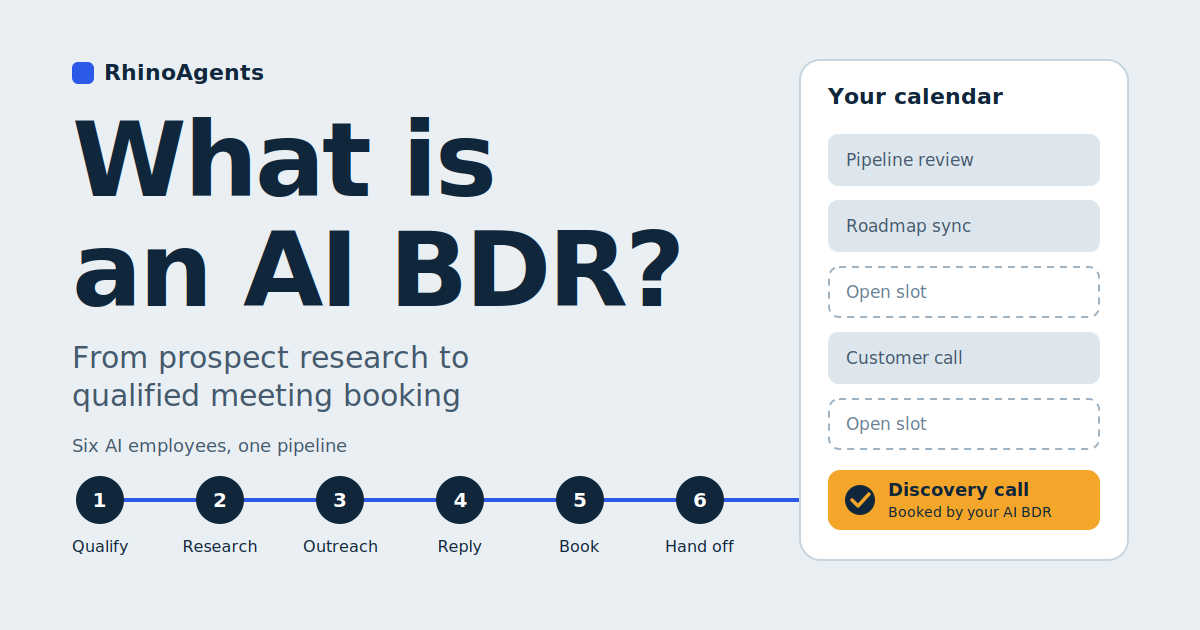
The RhinoAgents AI BDR works this way. You define your ideal customer, connect your tools, and set your meeting availability. Six specialized agents then take over: Lead Qualification, Prospect Research, Email Outreach, Email Reply, Meeting Booking, and CRM and Sales Handoff. Qualified meetings land on your calendar, and your reps get a full briefing.
Let’s walk through the pipeline in the order a prospect experiences it.
Step 1: Finding and Qualifying the Right Prospects
Every good outbound program starts with a decision about who not to contact. The Lead Qualification agent handles it. It evaluates each lead against your ICP, looking at company size, industry, location, budget signals, and buying intent. It then scores and segments leads before any outreach is sent.
This ordering matters. In many manual workflows, qualification happens after the damage: a rep sends five emails to an account that was never a fit, then discovers the company is too small or in the wrong region. Filtering first protects both your team’s time and your sender reputation, since fewer irrelevant emails means fewer spam complaints.
What the agent does in practice:
- Matches each lead to your ICP and assigns a fit score
- Detects budget signals that suggest a company can and will buy
- Classifies intent, so leads showing active interest are prioritized
- Segments leads so different groups can receive different messaging
The better you define your ICP, the better this stage performs. Industry, company size, job titles, geography, and any intent signals you care about are all inputs. Specific beats broad: “VP of Operations at 50 to 200 person logistics companies in the US” will produce far better meetings than “business owners.”
Step 2: Researching Each Prospect Like a Human Would
Once a lead is qualified, the Prospect Research agent builds the briefing that makes personalization possible. It looks at each company and contact and pulls firmographic data, recent news, tech stack, hiring signals, and role-specific context.
This is the work human reps know they should do and rarely have time for. A company that just opened ten sales roles has a different problem than one that just announced a funding round. A prospect who recently changed jobs has different priorities than one who has held the same seat for six years. These are the details that turn “I noticed your company is growing” into something a prospect actually wants to read.
The agent’s output is a structured profile: who this person is, what their company is doing, what triggers suggest a conversation is timely, and what angle is most relevant. That profile feeds directly into the next stage, which is why the system works better as a connected pipeline than as a set of separate tools.
If you already use a data provider, the agent can work alongside it. The AI BDR connects to enrichment sources such as Apollo.io, ZoomInfo, Clearbit, and Lusha, so your existing data investment is not wasted.
Step 3: Personalizing Outreach at Scale
With a briefing in hand, the Email Outreach agent writes and sends the messages. That includes personalized cold emails, multi-step follow-up sequences, and re-engagement campaigns for leads that went cold. Every message is tailored using the research profile rather than dropped into a template with a merge field for the first name.
The difference is easy to see side by side.
Template-driven outreach:
Hi Priya, I wanted to reach out because we help companies like yours improve efficiency. Do you have time for a quick call this week?
Research-driven outreach:
Hi Priya, I saw Northwind is hiring four regional dispatchers this quarter. Teams scaling dispatch that quickly usually hit a wall with manual scheduling follow-ups. We help ops teams handle that without adding headcount. Worth a short conversation?
(Illustrative example, not a real customer message.)
The second email is shorter, specific, and gives the reader a reason to respond. Producing that across hundreds of prospects is exactly the kind of task that is impractical for a human and routine for an agent.
The agent also optimizes send timing and subject lines based on engagement data, so the system improves as it learns what your audience responds to.
Step 4: Following Up Without Dropping the Ball
Follow-up is where outbound programs are won and lost, and where the gap between human and AI is widest. A typical human BDR sends one or two follow-ups. The AI BDR can run up to eight, systematically, without forgetting a thread, without getting discouraged, and without letting a Friday-afternoon distraction delay a Monday touch.
Persistence is not the same as pestering. Good sequences vary the message: a different angle, a relevant piece of news, a short question instead of a pitch. Because the agent has the research profile for each prospect, it has material to draw on rather than repeating itself.
It also follows up across channels. The AI BDR supports cold email, LinkedIn, WhatsApp Business, and AI voice calls. If an email is not opened within three days, the agent can follow up on LinkedIn. If LinkedIn gets no response, it can escalate to WhatsApp. Many prospects ignore email and respond elsewhere, and a multi-channel fallback reaches them where they are paying attention.
Step 5: Handling Replies in Minutes, Not Hours
Sending is the easy half. Replies are where deals begin, and they require judgment. The Email Reply agent reads every inbound response and classifies the intent: interested, not now, unsubscribe, or question. Then it acts accordingly.
- Interested: The conversation is escalated immediately toward a meeting.
- Question: The agent answers common questions and keeps the thread moving.
- Objection: The agent addresses typical objections, such as budget, timing, or an existing vendor, and steers back to a conversation.
- Not now: The lead is parked appropriately rather than hammered.
- Unsubscribe: The request is honored, which protects your reputation and keeps you on the right side of email rules.
Speed is the quiet advantage here. The AI BDR responds to inbound replies within about two minutes, at any hour. Lead response research has long shown that interest decays quickly, and a reply that arrives while the prospect is still thinking about you is far more likely to convert than one that arrives tomorrow.
Step 6: Booking the Meeting
The Meeting Booking agent turns interest into a calendar event. It coordinates availability, suggests open slots based on the schedule you set, books the meeting, and sends confirmations and reminders to both sides. It books only into slots you have opened, so there are no double bookings and no manual coordination.
The reminder sequence also matters more than it looks. No-shows are a quiet drain on any sales team, and a prospect who gets a confirmation and a timely reminder is more likely to show up. It connects to Google Calendar and Calendly, so meetings appear where your team already works.
Step 7: Updating the CRM and Handing Off with Context
The last agent closes the loop. The CRM and Sales Handoff agent logs every interaction, scores each opportunity, summarizes the full conversation history, and hands qualified leads to your human reps with a briefing.
For an account executive, that briefing changes the meeting. Instead of opening with “so, tell me about your company,” they walk in knowing who the prospect is, what triggered the outreach, what the prospect said in reply, and what objections have already been raised. The first call starts at minute ten instead of minute zero.
It also fixes the chronic CRM hygiene problem. Because the agent writes the record as events happen, with two-way sync, your pipeline data is real-time and consistent rather than reconstructed from memory on Friday afternoon. The AI BDR integrates with Salesforce, HubSpot, Zoho CRM, Pipedrive, and Microsoft Dynamics. If you want a broader view of what CRM-focused AI employees can do, see the RhinoAgents CRM agent.
Before and After: A Week in the Life of a Small Sales Team
Consider a hypothetical five-person B2B software company. The founder leads sales and has one part-time rep. Here is what outbound looks like before and after deploying an AI BDR. The numbers are illustrative, meant to show the shape of the change rather than promise specific results.
Before:
- The founder and rep spend roughly ten hours a week researching prospects and verifying contacts
- Another fifteen hours go to writing emails and sequences
- Follow-ups stop after the second email because other work takes over
- A reply that arrives on Friday evening gets answered on Monday
- Meeting scheduling takes three or four emails per prospect
- CRM notes are updated in a batch at the end of the week, if at all
After:
- ICP is defined once, and leads are qualified and scored automatically before outreach
- Each prospect receives a message based on actual research
- Sequences run for up to eight touches across email, LinkedIn, and WhatsApp
- Replies are classified and answered within minutes, including nights and weekends
- Meetings are booked into open slots with confirmations and reminders
- The CRM updates in real time, and the founder reads a briefing before each call
The RhinoAgents AI BDR page estimates this saves 25 to 35 hours a week: roughly ten on prospect research, fifteen on drafting and sending sequences, and five on scheduling. Those hours go back to what only people can do, which is running discovery calls, answering hard questions, and closing.
How to Set Up an AI BDR in 15 Minutes
Setup is intentionally short, because the work you do is about direction, not configuration. There are three inputs.
1. Define your ICP. Describe who you want to reach: industry, company size, job titles, geography, and any intent signals. You do this once, and the more specific you are, the better the meetings.
2. Connect your tools. Link your CRM, email, LinkedIn, WhatsApp, and calendar via OAuth. You can connect Gmail or Outlook for email, and custom systems can be reached through webhooks. OAuth means no credentials are stored and no IT team is needed.
3. Set your schedule. Tell the system when you are available for meetings. It books only into those windows.
From signup to first outreach takes about 15 minutes. Compare that with the weeks involved in posting a role, interviewing, hiring, and training a person. If you are weighing that route, our recruitment agent can even help with the hiring side of the equation, though you may find you need fewer hires than you expected.
AI BDR vs. Human BDR: The Cost and Capacity Comparison
The table below summarizes the comparison published on the RhinoAgents AI BDR page.
| Metric | Human BDR | AI BDR Agent |
|---|---|---|
| Monthly cost | $3,000 to $6,000 | $99 |
| Time to first outreach | 2 to 3 months of ramp | 15 minutes |
| Working hours | 8 hours a day, 5 days a week | 24/7/365 |
| Follow-ups sent | Typically 1 to 2 | Up to 8, systematic |
| Simultaneous prospects | About 50 to 100 a week | 10,000+ |
| Attrition risk | High, disrupts pipeline | None |
| CRM sync | Manual, inconsistent | Real-time, automatic |
At $99 a month against a human BDR’s $3,000 to $6,000, the cost reduction is roughly 95 percent per sales seat, which adds up to $60,000 or more per year. RhinoAgents also backs the product with a 30-day meeting guarantee: if your AI BDR does not book at least one qualified meeting in the first 30 days, your plan is extended for free until meetings land on your calendar.
A fair note on interpretation: these are published figures, and your results will depend on the quality of your ICP, your offer, and your market. An AI BDR removes the labor bottleneck. It does not make a weak offer strong.
How an AI BDR Differs from Traditional Sales Engagement Software
If you have used a sequencing tool, you might wonder what is new. The distinction is autonomy.
Traditional sales engagement software relies on static templates and rigid cadences. A human has to find the leads, write the copy, configure the steps, watch the results, and answer the replies. The software is a faster way to execute a plan the human still runs.
An AI BDR runs the plan itself. It researches each prospect, writes one-to-one messages, understands the intent of a reply, answers objections as they arise, and books the meeting directly into your schedule. You supervise outcomes instead of operating tools. That also removes the need for a stack of separate subscriptions for data, email, and booking, which is another source of savings.
What an AI BDR Does Not Replace
It is worth being plain about the limits. An AI BDR handles the repeatable front half of the funnel. It does not replace the people who close.
- Complex discovery and negotiation still belong to your account executives.
- Strategy is yours: who your market is, what you offer, and how you price it.
- Relationships with strategic accounts often deserve a human from the first touch.
- Quality oversight matters. Reviewing meetings and messaging in the early weeks helps you refine your ICP and tone.
The best way to think about it is as a division of labor. The AI handles volume, speed, and consistency. Your people handle trust, judgment, and closing.
Is an AI BDR Right for Your Team?
An AI BDR tends to fit well if:
- You are a founder doing outbound yourself and want your time back
- You run a small sales team that cannot justify a full BDR hire yet
- Your current BDRs spend most of their time on research and scheduling
- You have a clear ICP and an offer that already converts when it reaches the right person
- Inbound and outbound replies sit unanswered outside business hours
It may be a weaker fit if your sales motion depends on a small number of highly bespoke enterprise relationships, where every first touch needs a named human with deep account context.
Questions to Ask Before You Choose an AI BDR
Whatever vendor you evaluate, ask:
- Does it handle the full workflow, from research to CRM handoff, or only sending?
- Does it personalize from real research, or merge fields into templates?
- Can it read and respond to replies, and escalate hot ones fast?
- Which channels does it cover, and does it fall back intelligently between them?
- Does it sync two ways with your CRM?
- How are credentials handled? OAuth is the standard to look for.
- What happens if it does not deliver? A meeting guarantee is a useful signal of confidence.
Frequently Asked Questions
What is an AI BDR agent?
An AI BDR agent is an autonomous software system that automates outbound prospecting, lead research, cold outreach, reply handling, qualification, and meeting booking, around the clock and without manual rep labor.
How does an AI BDR work?
In the RhinoAgents AI BDR, six agents work in sequence. Lead Qualification filters prospects against your ICP. Prospect Research enriches contact and company data. Email Outreach drafts and sends personalized messages. Email Reply handles questions and objections. Meeting Booking confirms times. CRM and Sales Handoff syncs the history to your CRM and briefs your rep.
How much time can an AI BDR save?
The published estimate is 25 to 35 hours a week per sales rep or founder, covering prospect research, drafting and sending sequences, and scheduling.
How much does an AI BDR cost?
The RhinoAgents AI BDR is $99 a month. A human BDR typically costs $3,000 to $6,000 a month plus commission, benefits, tooling, and a ramp period of two to three months.
Which channels does it support?
Cold email through Gmail or Outlook, LinkedIn messaging, WhatsApp Business, and AI voice calls, with automated fallback between channels.
Does it integrate with Salesforce and HubSpot?
Yes. It integrates with Salesforce, HubSpot, Zoho CRM, Pipedrive, and Microsoft Dynamics, with two-way sync for interactions, lead scores, and booked meeting details.
How many prospects can it handle at once?
More than 10,000 simultaneously, across email, LinkedIn, WhatsApp, and voice, without the volume limits of a human team.
What is the 30-day meeting guarantee?
If your active AI BDR does not book at least one qualified sales meeting in your first 30 days, RhinoAgents extends your plan for free until qualified meetings land on your calendar.
How is it different from traditional SDR software?
Traditional tools run fixed templates and cadences that you configure and monitor. An AI BDR researches prospects, writes one-to-one outreach, understands replies, handles objections, and books meetings on its own.
The Bottom Line
Outbound has always been a numbers game played with a human bottleneck: too many prospects, too little time, too many steps between a first email and a booked meeting. An AI BDR removes that bottleneck by dividing the work among specialized agents, each doing one stage well and passing clean context to the next.
The result is a pipeline that runs while your team sleeps, follows up when people would have given up, replies within minutes, and delivers meetings with a briefing attached. You keep the human part of sales, the conversations that build trust and close deals, and hand off the repetitive mechanics.
If you want to see how it would work for your market, you can explore the RhinoAgents AI BDR page, browse the wider library of AI agents, or book a demo and watch qualified meetings reach your calendar.

