


If you run a small business, you already know the feeling. You are on a job site, in a client meeting, or finally eating lunch, and the phone rings. By the time you can call back, the customer has already booked someone else. Later that evening, you are typing up a quote, chasing an unpaid invoice, and trying to remember who asked about a booking on Tuesday. None of this is the work you started your business to do, but all of it has to get done.
This is the problem AI agents are built to solve. Unlike a basic chatbot that follows a script, an AI agent understands what a customer is asking, checks your calendar and price list, and then takes real action: booking the appointment, sending the estimate, updating the record. It works at 2 a.m. and on weekends, and it does not forget to follow up.
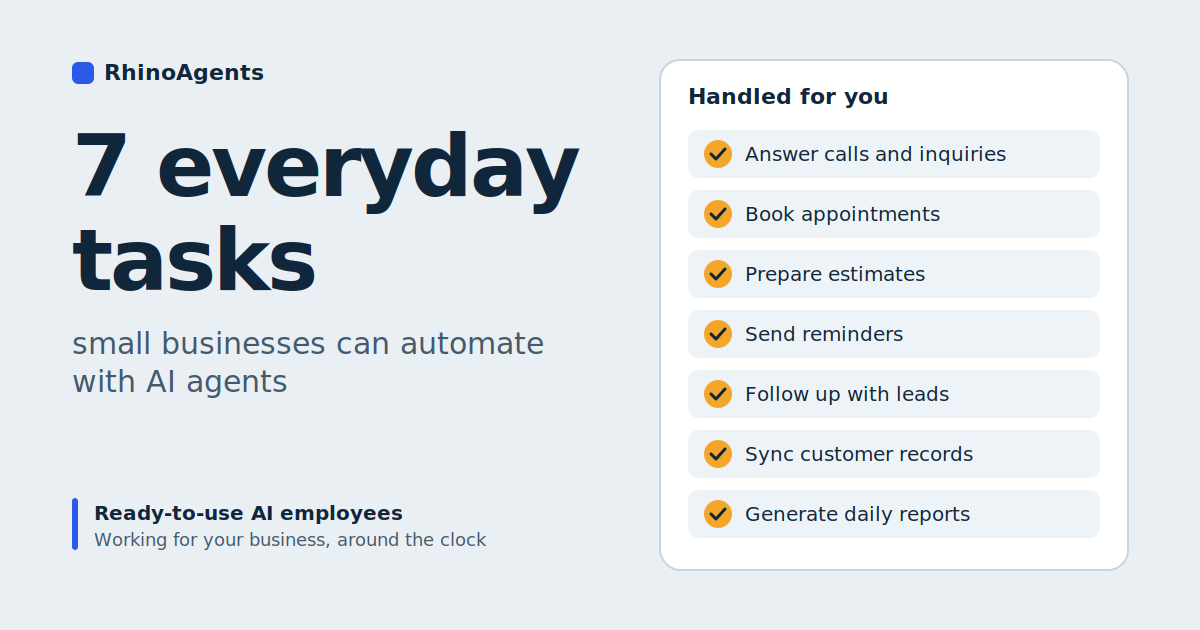
Below are seven everyday tasks that small businesses can hand to ready-to-use AI employees today: answering calls and inquiries, booking appointments, preparing estimates, sending reminders, following up with leads, syncing records, and generating daily reports. For each one, we cover the problem, what an agent actually does, and what changes for you. We use RhinoAgents AI agents for small businesses as the working example.
First, What Is an AI Agent (and How Is It Different from a Chatbot)?
An AI agent is a digital assistant that can understand a request, look up the information it needs, and act on it. The simplest way to see the difference from a chatbot is to follow one customer message through the five steps an agent takes:
- Perceive. The agent picks up a web chat message, a WhatsApp query, a text, or a booking request.
- Reason. It works out the intent: does this person want a price, an appointment, or an invoice question answered?
- Retrieve. It pulls the live information it needs, such as calendar availability, your rate card, and the customer’s history.
- Act. It saves the booking, calculates and sends the estimate, messages the customer, or alerts you in Slack.
- Learn. It tracks outcomes such as review scores and deflected calls so its suggestions improve.
A scripted chatbot can only do step one and a little of step two. An agent connects to your tools and finishes the job. That is why the seven tasks below are realistic to automate rather than just to talk about.
One note before we start: the numbers cited in this article, such as time saved and bookings gained, are figures RhinoAgents reports for local and service businesses. Your results will depend on your industry, call volume, and how clearly you set up your rules. Treat them as a guide to the size of the opportunity, not a guarantee.
Task 1: Answering Calls and Customer Inquiries
The problem. Small businesses miss calls constantly, and not because anyone is careless. You are busy doing the work. RhinoAgents cites a figure that 62 percent of calls to small businesses go unanswered during busy hours, and the cost is easy to imagine: a customer who hits voicemail usually clicks the next listing in the search results rather than leaving a message.
What the agent does. A receptionist agent answers customer questions about services, locations, hours, pricing, and policies, around the clock. It captures the customer’s name, phone number or email, and what they need, then logs the lead where your team can see it. It can live on your website chat, on WhatsApp, or by text, so customers reach you on the channel they prefer.
Here is an illustrative exchange for a heating contractor:
Customer: Do you cover residential heating in Brooklyn?
Agent: Yes, we cover residential zones across Brooklyn, including heating system maintenance. May I take your name and number so we can arrange an inspector visit?
Customer: Sure, it’s Marcus, 555-0192.
Agent: Thanks, Marcus. I’ve logged your request and sent a confirmation text.
What changes for you. Every inquiry gets an immediate response and a record, including the ones that arrive at 9 p.m. or during your busiest hour. You stop discovering lost leads after the fact. To describe this kind of agent in a prompt, you might write something like: “Create a receptionist that answers FAQs on location, pricing, and services, captures names and phone numbers, and schedules meetings on our Google Calendar.”
Task 2: Booking Appointments Without the Phone Tag
The problem. Scheduling by text or phone burns hours. You propose a time, the customer counters, you check your calendar, someone double-books, and a few messages later the appointment is finally set, or the customer has drifted away.
What the agent does. A booking agent connects to your Google Calendar or Outlook calendar and reads your live availability. It offers real open slots, lets the customer pick one, secures the booking, and sends a confirmation by email and text. Because it checks the calendar at the moment of booking, it avoids the double-bookings that creep in with manual coordination.
A typical exchange is short:
Agent: We have openings tomorrow at 10 a.m., 1 p.m., and 4 p.m. Which works best?
Customer: 1 p.m.
Agent: Done. I’ve sent an invite to your email and a reminder to your phone.
What changes for you. Booking happens in one short conversation, at any hour, without you in the middle. RhinoAgents reports that businesses see up to three times more appointments booked and calendar accuracy of 99.9 percent. Whatever your actual numbers turn out to be, the mechanism is sound: a customer who can book in 30 seconds is far more likely to book than one who has to wait for a callback.
Task 3: Preparing Estimates and Quotes
The problem. For many service businesses, the quote is the deal. But the owner is usually on site and cannot compile an estimate until evening, sometimes the next day. By then, the customer may have asked three competitors, and the fastest to reply often wins.
What the agent does. An estimator agent asks the customer the questions you would ask, such as the size of the job, the location, and any special conditions. It then calculates a price using your own rate sheets and pricing rules, and shares the estimate, often within about 30 seconds according to RhinoAgents. It can collect the customer’s email, log the quote stage in your spreadsheet, and offer to book a site visit straight away.
Illustrative example for an electrician:
Customer: How much to install an EV charger in my garage?
Agent: Is your electrical panel inside the garage, or further away?
Customer: Inside, about ten feet from the parking spot.
Agent: For a standard Level 2 install with that setup, the estimate is $650 to $850, including permits and labor. Would you like to book a site check tomorrow?
What changes for you. The customer gets an answer while their interest is high, and you get a qualified lead with the job details already captured. The estimate is only as good as the pricing information you provide, so upload your rate cards, material parameters, and any rules for when a job needs a human to quote it. A good setup also tells the agent when to say “this one needs a site visit” instead of guessing.
Task 4: Sending Reminders and Payment Nudges
The problem. Missed appointments and late payments are quiet profit leaks. A no-show wastes a slot you could have filled. An unpaid invoice that nobody chases becomes an unpaid invoice for months. Chasing either one feels awkward, so it gets postponed.
What the agent does. Reminders are some of the easiest work to hand over. For appointments, the agent sends a confirmation after booking and follows with text and email reminders so customers show up. For billing, an invoicing agent connects with Stripe and QuickBooks, tracks which accounts are outstanding, and sends gentle, polite payment reminders at the intervals you choose. It can also send a post-service check-in, collect feedback, and, if the customer is happy, point them to your Google review page. If the rating is low, the complaint is routed to you first so you can fix it before it becomes a public review.
What changes for you. You stop being the person who has to remember. Reminders go out on schedule, the tone stays courteous and consistent, and your review count grows steadily instead of in occasional bursts. RhinoAgents reports an average review score of 4.8 stars for businesses using its review collection flow, though, as always, your own results will vary with the quality of your service. For more on keeping existing customers engaged, see the customer retention agent.
Task 5: Following Up with Leads
The problem. Most leads do not buy on the first contact. They ask a question, get a quote, and go quiet while they compare options. If nobody follows up, the lead drifts away, and you only notice when you see the job go to someone else.
What the agent does. A follow-up agent checks back on leads and estimates that have not turned into bookings. It might message a customer two days after an estimate to ask whether they have questions, offer open slots for a visit, or share a short note about your availability this month. It uses the history already in your records, so the follow-up refers to what the customer actually asked about rather than reading like a mass message. Customers can reach you through channels such as WhatsApp, SMS through Twilio, or email through Gmail.
What changes for you. Follow-up becomes systematic rather than dependent on your memory and mood. If you run a larger outbound effort, such as prospecting new business customers, the same principle applies on a bigger scale; our guide to the AI BDR shows how a team of agents handles research, outreach, and meeting booking. For most small businesses, though, the simplest win is just making sure that no inquiry and no estimate goes unanswered for days.
Task 6: Syncing Records Across Your Tools
The problem. Client details often live in too many places: a spreadsheet, a paper card, an email thread, a calendar entry, a notes app. Nobody quite trusts any of them. When a customer calls back, staff have to hunt for the history, and the person answering is flying blind.
What the agent does. A data sync assistant updates contact details, addresses, booking histories, service notes, and payment status across your connected systems automatically. As the receptionist agent captures a lead and the booking agent secures an appointment, those details land in Google Sheets or your CRM, such as HubSpot or Zoho CRM. The records are structured the same way every time, which makes them searchable and reliable.
What changes for you. Data entry stops being a separate chore. Instead of reconstructing what happened on Friday afternoon, you open one record and see the full history: the first inquiry, the estimate, the booking, the invoice, and the review request. That matters most when a customer calls and you want to sound like you remember them, because the record does.
RhinoAgents estimates that automating the repetitive admin can cut administrative workload by up to 80 percent. Even if your own figure is a fraction of that, record-keeping is a task few owners will miss.
Task 7: Generating Daily Reports
The problem. Small business owners rarely have a clear picture of how the day went. How many inquiries came in? How many turned into bookings? Which quotes are waiting on a reply? Which invoices are overdue? The information exists somewhere, but pulling it together takes time, so it often does not happen.
What the agent does. Because your agents already capture inquiries, bookings, estimates, payments, and reviews in connected tools, they have the raw material for a daily summary. You can describe the report you want in plain language: for example, a short end-of-day message listing new leads, appointments booked for tomorrow, estimates awaiting a response, and outstanding invoices. It can be delivered where you will actually read it, such as a Slack message or an email. The report is only as detailed as the data your agents are connected to, so this task works best once the first six are running.
What changes for you. You start each morning knowing exactly where things stand, without opening five apps. It also turns your business into something you can measure. When you can see how many leads arrived, how many booked, and how many stalled, you can see where to improve.
Before and After: A Week in a Small Service Business
Consider a hypothetical three-person plumbing company. This scenario is illustrative, meant to show the shape of the change.
Before:
- Calls during jobs go to voicemail, and some callers never leave a message
- Quotes are typed up in the evening, a day after the request
- Appointments are arranged through several rounds of texts
- Nobody follows up on estimates that go quiet
- Invoices are chased only when the owner remembers
- Customer details are scattered across a spreadsheet and the owner’s phone
- The owner has no clear view of how the week went
After:
- Every inquiry, on every channel, gets an instant answer and a logged record
- Customers receive an estimate in the same conversation, from the owner’s own pricing
- Appointments are booked directly into the live calendar, with confirmations and reminders
- Estimates that have not converted receive a timely follow-up
- Payment nudges and review requests go out on schedule
- Records update automatically in the spreadsheet or CRM
- A short daily summary arrives each evening
The owner’s work does not disappear. It changes from administration to the parts that need a skilled person: doing the job, handling the difficult conversation, and making the judgment calls.
How to Get Started Without Overwhelm
You do not need to automate all seven tasks at once. A sensible order is to begin where you are losing the most money today.
- Pick one painful task. If you miss calls, start with the receptionist. If quotes stall, start with the estimator.
- Describe it in plain language. RhinoAgents lets you describe the agent you want in a prompt rather than configuring software, and the page notes this takes about five minutes.
- Connect your tools. Link your calendar, CRM, payment tool, and messaging channels with one-click connectors. The platform lists more than 100 native integrations.
- Upload your business information. Add price lists, FAQs, service menus, and operating rules so the agent answers in your terms.
- Go live. Deploy to your website, WhatsApp Business, SMS, or email. RhinoAgents says most businesses can be live in under an hour.
Once the first agent is working, add the next. Many businesses find that the tasks reinforce each other: the receptionist feeds the booking agent, the booking agent feeds the reminders, and every step feeds your records and your daily report.
On cost, RhinoAgents lists plans starting from $49 per month with a free trial and no credit card required. Pricing scales with usage and the number of agents you deploy, and you can check the current details on the pricing page.
What AI Agents Will Not Do for You
It is better to be realistic. Agents are strong at repeatable, rule-based work. They are not a substitute for your judgment or your skills.
- Complex or unusual jobs still need a human to assess and price them. Set rules so the agent hands these over rather than guessing.
- Sensitive conversations, such as a serious complaint, deserve a personal reply from you.
- Your business rules have to come from you. An agent can only quote prices, policies, and availability that you have given it.
- Early review is worth the time. Read the first conversations and logs, then refine the instructions.
On data, RhinoAgents states that it is encrypted in transit and at rest, GDPR compliant, and SOC 2 aligned, and that customer records are not used to train public language models. If you handle sensitive client information, review those details against your own requirements.
Which Small Businesses Benefit Most?
Agents suit any business where customer communication and routine admin eat into skilled time. Common examples include:
- Local services: plumbers, HVAC, painters, and other home service providers
- Professional services: lawyers, accountants, consultants, and real estate agents
- Boutique agencies and consultancies
- Retail and e-commerce: local shops and online brands
- Health and wellness: salons and spas, gyms, and dental clinics
If you also want to keep your marketing consistent, the same approach extends to drafting local updates, social posts, and newsletters. See the RhinoAgents marketing and SEO agents for ideas.
Frequently Asked Questions
What are AI agents for small businesses?
AI agents are autonomous software programs that handle customer-facing and back-office tasks, such as answering inquiries, capturing leads, calculating estimates, booking appointments, following up on invoices, and collecting reviews, around the clock and without manual effort.
Do I need technical skills to deploy one?
No. With RhinoAgents, you describe the job in plain English, connect your tools with one-click connectors, upload your price lists and FAQs, and deploy.
Which AI agents can a small business deploy?
The library includes a receptionist, an estimator and quote assistant, an appointment booker, an invoicing and billing agent, a review and feedback agent, a CRM data sync assistant, a local SEO and content drafting agent, and an inventory and order agent.
Can an agent really book appointments?
Yes. It connects to Google Calendar or Outlook, checks your real-time availability, offers open slots, secures the booking, and sends confirmations and reminders by email and text.
Can it prepare accurate estimates?
Yes, when it is trained on your service catalog, rate sheets, and rules. It collects details conversationally, calculates the price, and delivers an estimate in seconds. Complex jobs can be routed to you.
Which tools does it connect to?
Google Calendar, Outlook, HubSpot, Zoho CRM, QuickBooks, Stripe, Google Sheets, WhatsApp Business, Gmail, Slack, Twilio SMS, and Zapier, among more than 100 integrations.
Is my customer data safe?
RhinoAgents states that data is encrypted in transit and at rest, that it is GDPR compliant and SOC 2 aligned, and that your records are never used to train public models.
How much does it cost?
Plans start from $49 per month, with a free trial and no credit card required. Pricing scales with usage and the number of agents you deploy.
The Bottom Line
The seven tasks in this article have something in common: they are necessary, repetitive, and time-sensitive, and none of them requires your particular expertise. Answering calls, booking appointments, preparing estimates, sending reminders, following up with leads, syncing records, and summarizing the day are exactly the kind of work an AI agent can take off your plate.
The benefit is not just saved hours. It is the customers you stop losing to a missed call, the quotes that arrive while interest is high, and the follow-ups that actually happen. You keep the work that makes your business valuable, and your agents handle the rest.
If you would like to see how it could work for your business, explore the RhinoAgents AI agents for small businesses page, or book a demo and describe the first task you would like to hand off.

