


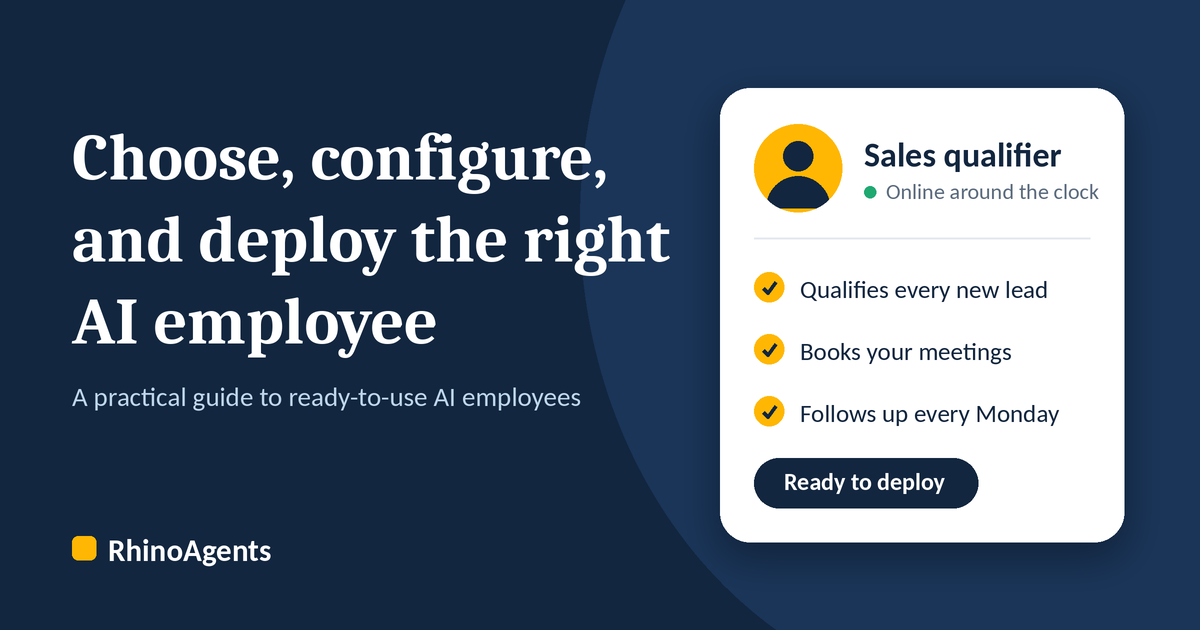
Every growing business hits the same wall. Leads arrive faster than anyone can follow up. Customers ask the same ten questions all day. Scheduling, data entry, reporting and hand-offs eat hours that your best people should spend on work only they can do. Hiring more people helps, but it is slow, expensive, and never quite keeps pace with demand.
That is why more businesses are now hiring AI employees: ready-to-use team members that take on a defined role, work across your channels and tools, and run around the clock. The idea is simple. The hard part is choosing the right one, setting it up properly, and knowing what to expect once it is live.
The shift is already under way. McKinsey’s 2025 global survey found that 88% of organizations use AI in at least one business function, but only 7% say it is fully scaled across the business. Moving from a first trial to real, scaled value usually comes down to the choices in this guide: a clear role, careful configuration, and measurable goals.
This guide walks through all three. You will learn how to choose the right AI employee for your business, how to configure it step by step, and how it helps your business in practical, measurable ways. Along the way you will see a before-and-after scenario, the most common mistakes to avoid, and answers to the questions buyers ask most.
What Is an AI Employee?
An AI employee is a ready-to-use digital team member built for a specific job inside your business. Instead of a generic chatbot that answers questions and stops there, an AI employee owns a role. It handles a set of tasks, follows your rules, connects to the tools your team already uses, and knows when to hand a conversation to a human.
Think of the difference between a search box and a colleague. A search box answers what you type. A colleague notices a new lead in your CRM, qualifies it against your criteria, books a call, updates the record, and flags anything unusual to a manager.
A good AI employee typically offers:
- A clear role and identity, such as sales qualifier, support specialist, scheduling coordinator, or HR assistant
- Multi-channel presence across web chat, WhatsApp, email, and voice
- Knowledge of your business, drawn from your own documents, policies, and product information through a knowledge base
- Connected tools, so it can act (update a CRM, book a meeting, create a ticket) instead of only talking, through 400+ integrations
- Guardrails and escalation, so it stays within your rules and brings in a person when needed (how guardrails work)
- Reporting, so you can see what it did and what it delivered through real-time analytics
Because RhinoAgents AI employees are ready to use, you are not starting from a blank page. You pick the role that matches the work, connect your tools, add your knowledge, and deploy.
Why Businesses Are Hiring AI Employees Now
The case for AI employees is built on problems nearly every business recognises.
Slow response kills conversions. A lead who fills in a form at 9 p.m. and hears back the next afternoon has often already talked to a competitor. Harvard Business Review research found that firms that tried to contact a lead within an hour were nearly seven times as likely to qualify it as firms that waited even an hour longer, and more than 60 times as likely as firms that waited 24 hours or longer. The same article reported that only 37% of companies responded within an hour and 23% never responded at all. An AI employee replies in seconds, at any hour.
Repetitive work drains your best people. Qualifying leads, answering routine questions, chasing documents, and updating records are necessary but low in value. They pull skilled staff away from selling, solving, and building relationships.
Follow-ups fall through the cracks. Even well-run teams forget the third follow-up or the Monday check-in. Consistency is a strength of AI employees: the task happens every time.
Scaling headcount is slow and costly. Recruiting, training, and managing a new hire takes months. A ready-to-use AI employee can be deployed in days and handles a growing volume of work without a matching growth in payroll.
Customers expect instant, always-on service. Support and sales across chat and voice, in the customer’s preferred channel, is now a baseline expectation.
None of this means replacing your team. It means giving them a capable teammate that absorbs the repetitive load so they can focus on the work that grows the business.
How to Choose the Right AI Employee
Choosing well is the step that matters most. A mismatched AI employee will frustrate your team and your customers. A well-matched one feels like it was always part of the business. Use the five checks below.
1. Start with the role, not the technology
Before you compare features, write down the job you want done. The best question is: If I hired a person for this, what would their job description say?
Common starting roles include:
- Sales and lead qualification: respond to new enquiries instantly, ask qualifying questions, score leads, and book meetings (see the AI SDR, AI BDR, and lead qualification roles)
- Customer support: answer product and policy questions, track orders or requests, and escalate complex cases (see the AI Customer Support Executive)
- Scheduling and booking: manage appointments, reschedule, send reminders, and reduce no-shows (see appointment booking and the AI Executive Assistant)
- HR and recruitment: screen candidates, answer employee questions, and coordinate interviews and onboarding (see the AI Recruitment Specialist and AI People Operations Specialist)
- Operations and back-office: process documents, sync data between systems, and generate reports (see the AI Operations Manager and AI Accounts Payable Specialist)
Pick one role to start. A focused first deployment is easier to configure, easier to measure, and builds internal confidence quickly.
2. Match the work it will take over
List the specific tasks inside that role and note how often each happens. The best candidates for an AI employee share three traits:
- High volume. The task happens many times a day or week.
- Clear rules. A new team member could do it with a checklist and a knowledge base.
- Measurable outcome. You can tell whether it was done well, such as a booked meeting, a resolved question, or a completed record.
Tasks that depend on delicate judgment, negotiation, or emotional nuance are better kept with your people. A good AI employee is designed to recognise these moments and hand off cleanly.
3. Check the channels your customers actually use
An AI employee is only useful where your customers and team are. Consider:
- Web chat on your website and landing pages
- WhatsApp, essential in many markets for sales and support
- Email, for follow-ups and longer conversations
- Voice, for businesses where phone calls drive revenue, such as clinics, real estate, hospitality, and home services
The strongest option is one knowledge base that powers every channel at once, so a customer gets the same accurate answer whether they type, message, or call.
4. Confirm it connects to your tools
An AI employee that cannot reach your systems is just a talker. Make a list of the tools involved in the role (CRM, calendar, helpdesk, email, spreadsheets, databases) and confirm the AI employee can read from and write to them. Look for pre-built integrations with tools such as HubSpot and Salesforce, plus webhook support and custom API connections for anything proprietary.
The test is simple: when a lead arrives, can the AI employee create or update the record, trigger the next step, and tell the right person? If so, it is doing real work.
5. Look closely at guardrails, security, and control
This is where serious buyers separate themselves. Ask:
- Can I define what the AI employee is and is not allowed to do or say?
- Can I control what information it can access and share?
- Is there an audit trail of its actions?
- Does it support the compliance requirements of my industry?
- Is there a clear path to a human for sensitive or complex cases?
- Can I test changes safely before they go live?
Guardrails are not a limitation. They are what make it safe to hand real work to an AI employee, and they are what build trust with customers and with your own team. The risk is real: in McKinsey’s survey, 51% of respondents reported at least one negative consequence from AI use, with inaccuracy the most common. RhinoAgents covers this with data classification and PII guardrails, audit logs, and enterprise security.
A quick selection checklist
Before you commit, confirm you can answer yes to each of these:
- I can describe the role in one sentence.
- I know the five to ten tasks it will own.
- It works on the channels my customers use.
- It connects to the tools my team already uses.
- I can set rules, guardrails, and escalation paths.
- I can see what it did through reporting.
- I can go live in days, not months.
How to Configure Your AI Employee, Step by Step
Configuration is where a ready-to-use AI employee becomes your AI employee. The good news is that the process mirrors onboarding a new hire, so it feels familiar. Here is a clear path from setup to launch.
Step 1: Define the role and identity
Start by naming the role and describing what this team member is responsible for. Give it a clear identity: its job title, the tone it should use, and the audience it serves. A friendly, concise sales qualifier for a real estate brokerage sounds very different from a calm, precise support specialist for a financial services firm.
The more specific your description of the role and responsibilities, the better the results. Write it the way you would brief a new hire on their first day: what you do, who you serve, what good looks like, and what to avoid.
If you would rather start from a proven role than from a blank page, pick one from the AI employees directory and adjust it to fit your business.
Step 2: Set the tasks, schedules, and workflows
Once the role is clear, break it into the work itself. This is where an AI employee goes beyond answering questions:
- Tasks are the things it does on request or in conversation, such as answering a pricing question, qualifying an enquiry, or booking an appointment.
- Workflows are the multi-step sequences that run when something happens, such as: when a new lead arrives in HubSpot, qualify it against your criteria, score it, notify the owner, and schedule a call if it qualifies.
- Schedules are the recurring jobs that run on a timer, such as: every Monday morning, follow up with leads who have not replied this week.
Start with the two or three highest-value workflows and add more once the first ones are performing well. Resist the urge to automate everything on day one.
Step 3: Connect your knowledge
Your AI employee is only as accurate as the information it can draw on. Add the material a new hire would study:
- Product or service details and pricing guidance
- FAQs and policies (returns, cancellations, eligibility, timelines)
- Process documents and playbooks
- Brand voice guidelines and example responses
Keep the knowledge current. When a policy or offer changes, update the knowledge base so every channel reflects it immediately.
Step 4: Connect your tools and channels
Now link the systems the role depends on: your CRM (HubSpot, Salesforce), calendar (Google Calendar, Calendly), helpdesk, email (Gmail), and messaging channels (WhatsApp, Slack). For anything custom, use webhooks or the Model Context Protocol (MCP). Connect only what the role needs, and give it the least access required to do the job. Then switch on the channels where you want it to appear, whether that is web chat, WhatsApp, email, or voice.
Step 5: Set guardrails and escalation rules
Decide in advance where the boundaries are:
- Topics it should not discuss or commitments it should never make (for example, no guarantees on pricing, outcomes, or timelines)
- Sensitive data handling, such as how personal or financial information is treated
- Escalation triggers, such as an angry customer, a high-value deal, a legal question, or a request it cannot resolve
- Hand-off behaviour, so the person who takes over sees the full conversation and context
A smooth hand-off is a feature, not a failure. It is how an AI employee earns trust: it handles what it should, and brings in a person for what it should not. With RhinoAgents, critical actions such as updating CRM deals or issuing refunds can require one-click human approval before they run.
Step 6: Test before you go live
Run realistic scenarios before launch. Use real questions from your inbox and chat history, including the awkward ones. Check that answers are accurate, the tone fits, workflows trigger correctly, records update as expected, and escalations reach the right person.
A good platform lets you refine and redeploy new versions without disrupting the AI employee that is already live, so improvements never mean downtime.
RhinoAgents includes evaluation and benchmarking tools so you can test an AI employee against your own scenarios before it goes live.
Step 7: Launch, review, and improve
Go live with one role on one or two channels. In the first weeks, review conversations and results regularly. Look at what customers ask that the AI employee could not answer, where hand-offs happened, and which workflows delivered the most value. Feed those findings back into your knowledge and rules, then expand to the next role or channel.
Most businesses find that this loop of launch, review, and improve is where the biggest gains come from.
In the RhinoAgents console, these steps map to ten stages: Identity, Roles & Charter, Pick Skills, Tasks, Schedules, Workflows, Brain Memory, Human-in-Loop, Evaluation & Test, and Deploy. You can start from a ready-made role and adjust each stage, or choose from the skills catalog to match the work.
How an AI Employee Helps Your Business
Once your AI employee is configured and live, the benefits show up across the business.
Faster responses, around the clock
Speed is one of the strongest levers in sales and service. An AI employee replies in seconds, whether it is mid-afternoon or 2 a.m., on a weekday or a holiday. Enquiries are acknowledged immediately, questions are answered on the spot, and appointments are booked before interest cools.
More leads converted, fewer dropped
Because every lead is qualified and followed up the same way, nothing slips through. The AI employee asks the right questions, scores the opportunity, routes hot leads to your team, and nurtures the rest on a schedule. Your salespeople spend their time on conversations that are ready to move forward.
Lower cost per task
An AI employee handles a growing volume of routine work without a matching increase in headcount. With usage-based pricing, you pay in proportion to the work actually done, which keeps costs predictable and makes the return easy to calculate.
More time for your team’s best work
When repetitive work moves to an AI employee, your people get time back for the things that need human skill: building relationships, solving complex problems, negotiating, and creating. Many teams find morale improves as well, because the tedious part of the job is handled.
Consistent quality and brand voice
Every customer gets the same accurate information in the same tone, every time. There are no off days, no missed details, and no variation between shifts or locations.
Better visibility and decisions
Because an AI employee logs what it does, you gain a clear view of customer questions, lead quality, response times, and outcomes. Those insights show you what customers want, where your process leaks, and which changes will make the biggest difference.
RhinoAgents gives you real-time analytics, comprehensive logging, and audit logs to track this.
Easy scaling
Seasonal peaks, a successful campaign, or expansion into a new market no longer mean a scramble to hire. Your AI employee absorbs the extra volume, and you can add roles as the business grows.
Results from live deployments
RhinoAgents reports these results from client deployments on its homepage:
| Client | Industry | What the AI employee handles | Reported results |
|---|---|---|---|
| TCYonline | EdTech and online testing | Student enrollment, WhatsApp support, website Q&A | 4.2x faster enrollment, 78% autonomous resolution |
| Lead The Way | Real estate (New Zealand) | Property appraisals, buyer pre-qualification, viewing scheduling | 3.5x more appraisal leads, 100% after-hours lead capture, under 45 seconds to first response |
| SolarFi | Solar and clean energy | Website solar advisory, site survey booking | 3.8x more solar inquiries, under 30 seconds to first response |
These figures are company-reported and will vary by business, but they show the pattern: faster first response, more captured leads, and more routine work resolved without a person.
Before and After: A Real-World Scenario
Here is how the change looks in practice for a mid-sized business generating leads from its website, WhatsApp, and ads.
Before an AI employee
- Leads arrive from three channels and are copied into the CRM by hand, often hours later
- Evening and weekend enquiries wait until the next working day
- Sales reps spend much of their morning sorting good leads from poor ones
- Follow-ups depend on individual memory and calendar discipline
- Customers asking routine questions wait in a queue behind complex requests
- Management has little visibility into why leads were lost
After deploying an AI employee
- Every enquiry gets an instant, personal reply on the channel it came from
- The AI employee asks qualifying questions, scores each lead, and updates the CRM automatically
- Qualified leads are routed to the right rep with the full conversation attached, and calls are booked directly into calendars
- A weekly schedule follows up with leads that have gone quiet
- Routine questions are answered immediately, leaving the support team free for complex cases
- Reporting shows response times, qualification rates, bookings, and the most common objections
The team is no longer buried in admin, customers feel looked after, and the business sees where its opportunities are. That is what a well-chosen, well-configured AI employee delivers.
Common Mistakes to Avoid
Most disappointing results come from a small set of avoidable mistakes.
1. Starting with a vague role. If you cannot describe the job in a sentence, the AI employee cannot do it well. Define the role before anything else.
2. Trying to automate everything at once. Launching ten workflows on day one makes problems hard to find. Start with two or three, prove them, then expand.
3. Neglecting the knowledge base. Outdated or thin information leads to weak answers. Treat knowledge as a living resource and keep it current.
4. Skipping guardrails and escalation paths. Without clear boundaries, an AI employee may overreach. With them, it knows exactly when to bring in a human.
5. Giving it too much access. Connect only the tools and data the role needs. Least-access is safer and easier to audit.
6. Not testing with real scenarios. Polished demo questions rarely reflect what customers actually ask. Test with real messages, including the messy ones.
7. Setting it live and forgetting it. The best results come from regular reviews. Check conversations, learn from hand-offs, and keep improving.
8. Measuring the wrong things. Pick outcomes tied to the role, such as response time, qualified leads, bookings, resolution rate, or hours saved, and track them from day one.
How to Measure Success
Decide how you will judge results before you launch. Useful measures include:
- First response time, which should drop to seconds
- Lead qualification rate and speed from first contact to qualified
- Meetings or appointments booked by the AI employee
- Resolution rate for routine questions without human help
- Hand-off quality, meaning how often escalations were appropriate and well-prepared
- Hours saved across the team each week
- Customer satisfaction on conversations the AI employee handled
Compare these against your baseline from before deployment. The difference is your return, and it is usually clear within the first weeks.
Is an AI Employee Right for Your Business?
An AI employee is a strong fit if you recognise several of these:
- You receive a steady flow of enquiries, leads, or support requests
- Your team spends significant time on repetitive, rules-based work
- Response speed affects whether you win or lose customers
- You operate across multiple channels such as web, WhatsApp, email, and phone
- You want to scale without scaling headcount at the same rate
- You want consistency and visibility across customer interactions
If that sounds familiar, the next step is straightforward: pick one role, define the tasks, connect your tools, and deploy.
Frequently Asked Questions
What is an AI employee?
An AI employee is a ready-to-use digital team member that takes on a specific role in your business. It handles defined tasks and workflows, works across channels such as chat, WhatsApp, email, and voice, connects to your tools, follows your guardrails, and escalates to a human when needed.
How is an AI employee different from a chatbot?
A chatbot typically answers questions within a conversation. An AI employee owns a role. It can qualify leads, update your CRM, book appointments, run scheduled follow-ups, and trigger multi-step workflows, in addition to holding conversations.
How do I choose the right AI employee for my business?
Start with the role you need filled, then match it to the tasks, channels, and tools involved. Confirm that it connects to your existing systems, offers strong guardrails and security, and provides reporting so you can measure results. Begin with one focused role rather than many.
How long does it take to set up an AI employee?
Pre-configured AI employees can be connected to your tools in as little as one business day with guided onboarding. Custom integrations with legacy or on-premise systems typically take one to two weeks. You define the role, add your knowledge, connect your tools, and test. Browse the AI employees directory to see the roles available.
Do I need technical skills to configure one?
No. Configuration follows a familiar process of describing the role, setting tasks and workflows, adding knowledge, and connecting tools. Your technical team can help with custom integrations, but day-to-day setup does not require coding.
Will an AI employee replace my team?
No. AI employees take on repetitive, high-volume work so your team can focus on the work that needs human judgement, creativity, and relationships. Most businesses use them to grow capacity rather than reduce headcount.
Is it safe to give an AI employee access to my systems and data?
It can be, when the platform provides proper controls. Look for role-based access, guardrails, audit logs, data protection, and compliance support, and connect only the tools and data the role needs. RhinoAgents is SOC 2 and GDPR compliant and does not train models on customer data. See the enterprise security page for details.
What happens when the AI employee cannot answer something?
You define escalation rules in advance. When a request falls outside its scope or meets a trigger you set, the AI employee hands the conversation to a person with the full context, so the customer does not have to repeat themselves.
Can one AI employee work across chat, WhatsApp, email, and voice?
Yes. A strong setup uses a single knowledge base across chat, WhatsApp, email, and voice, so customers receive consistent, accurate answers whichever way they reach you.
How is pricing structured?
RhinoAgents pricing is based on the AI employee roles you deploy and the workload capacity you need, with no per-seat limits, so your whole team can work with them at no extra charge. Third-party tool subscriptions, such as your CRM or telephony provider, are billed separately by those vendors. See current plans on the pricing page.
Which industries use AI employees?
AI employees are used across real estate, healthcare, finance, HR and recruitment, hospitality, education, logistics, construction, ecommerce, utilities, and more. Any business with high-volume, rules-based work can benefit.
How do I know it is working?
Track response time, qualified leads, bookings, resolution rate, and hours saved against your pre-deployment baseline. Reporting from the platform makes these visible, and regular reviews help you keep improving.
Ready to Hire Your First AI Employee?
Choosing the right AI employee comes down to a few clear decisions: define the role, match it to the work, confirm the channels and tools, insist on guardrails, and measure results. Configuring it follows the same logic as onboarding a new hire: give it a clear role, teach it your business, connect it to your tools, set boundaries, test, and launch.
Done well, the payoff is faster responses, more converted leads, lower cost per task, and a team free to focus on what matters most.
RhinoAgents offers ready-to-use AI employees built for your business. Choose the role you need, connect your tools, and deploy in days, not months.
Deploy your first AI employee with RhinoAgents
Explore the AI employees directory, compare options on the pricing page, or talk to the team.
Sources
- Oldroyd, McElheran and Elkington, The Short Life of Online Sales Leads, Harvard Business Review, 2011
- McKinsey, AI at work but not at scale, State of AI 2025 survey (1,993 participants, June 25 to July 29, 2025)
- IDM, McKinsey: Few Organisations Fully Scaling AI Despite Uptake, on the share of respondents reporting negative consequences
- RhinoAgents, client deployment results, onboarding timelines, and security details

